

Agentic commerce · 7 min read

Store platform
Shopify's Catalog MCP gives shopping agents access to product catalogs: a global catalog across Shopify merchants and a per-store catalog, so an assistant can search, compare and surface products.
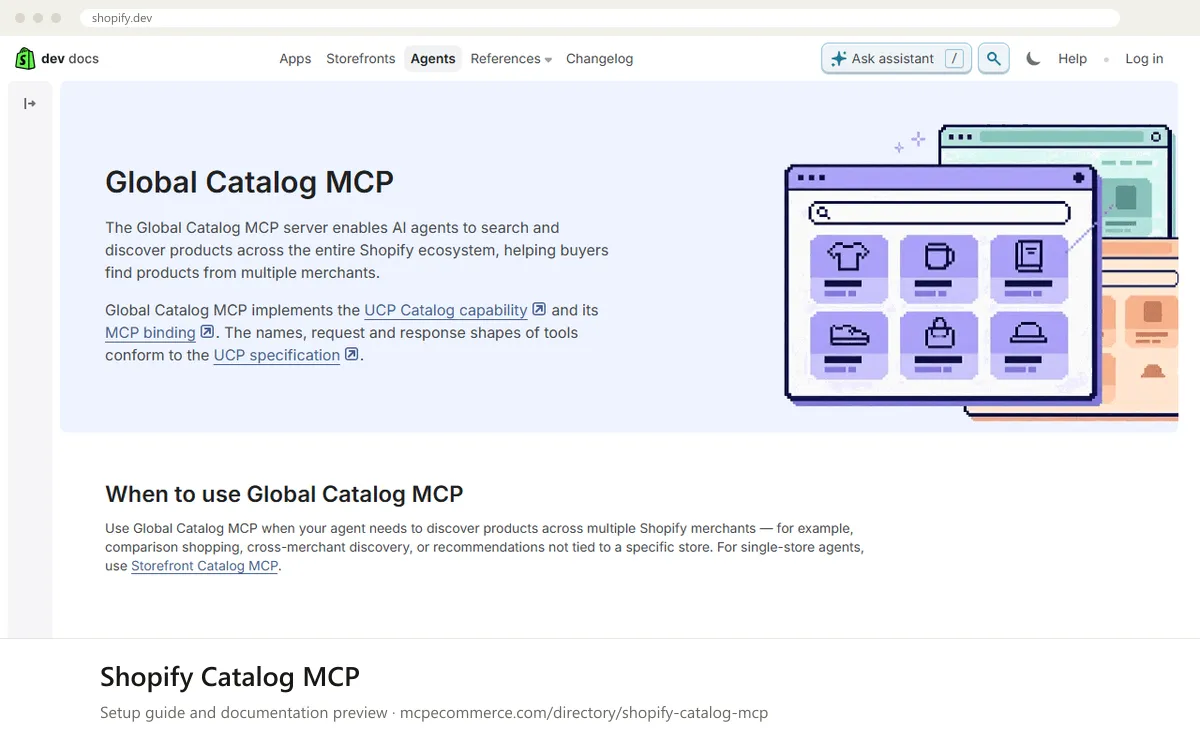
Shopify Catalog MCP is a vendor-hosted MCP server that lets AI shopping agents search and look up products. The documentation page provided covers the Global Catalog MCP, which spans many Shopify merchants. It implements the UCP Catalog capability and its MCP binding. Its three tools are search_catalog, lookup_catalog and get_product. Results are grouped by Universal Product ID and can include offers from several merchants, with prices, variants and seller checkout links. For a single store, the documentation points to Storefront Catalog MCP instead. For a merchant, this is how products can show up in AI shopping assistants. For an agency or developer, it is a way to build comparison or recommendation agents without scraping. This is mainly a developer-facing tool. Every request must include a URL to the agent's UCP profile, and the tools you get depend on the capabilities that profile declares. Some response fields, such as descriptions, options and product attributes, are generated or enriched by Shopify and are marked Inferred. Treat them as discovery signals, not as text the merchant wrote. The listing notes that this area changes quickly, so check the current documentation before you build on it.
Merchants who want their catalog discoverable by AI shopping assistants, and developers building agents that shop across Shopify stores.
Exact commands and addresses change. Use the official documentation for the current steps.
Installation guide for Shopify Catalog MCP
Client-by-client steps, what to prepare, the first prompts to run and fixes for common errors.
 Claude
 ChatGPT
 Gemini
 Microsoft Copilot
 Perplexity
 CursorClaude Code
Watch out for: Part of fast-moving agentic commerce work. Endpoints, availability and tool names change; confirm the current state in the docs before building on it.
According to the documentation, Global Catalog MCP is for finding products across many Shopify merchants, such as comparison shopping or recommendations not tied to one store. For an agent that serves a single store, the documentation says to use Storefront Catalog MCP. You can also scope a global search to one merchant.
Mostly yes. Direct use needs requests to the endpoint and an agent UCP profile. The documentation also describes the Shopify AI Toolkit, which lets you ask for products in plain language inside compatible IDEs such as Cursor or Claude Code. That route is simpler but still needs a development environment.
Step-by-step: install Shopify Catalog MCP in Claude, ChatGPT, Gemini, Copilot and more →
The documentation provided describes how agents search the catalog, not how to list a store. Merchants should check the Shopify documentation and their admin for current catalog and agentic commerce settings. Because inferred fields are generated by Shopify, keep your own product titles, descriptions and variants accurate.
Agentic commerce · 7 min read

Agentic commerce · 6 min read
Shopify · 7 min read
Read-onlyShopify · Store platform
Gives an AI coding assistant Shopify's developer documentation and API schemas while you build apps, themes and extensions.
View details →
Varies by toolShopify · Store platform
A per-store MCP endpoint that lets AI shopping assistants search a store's catalog, read policies and work with a cart.
View details →
 Varies by tool
WooCommerce · Store platform
WooCommerce has added an MCP integration built on the WordPress Abilities API, exposing store operations to AI clients.
View details →