

Agentic commerce · 7 min read

Store platform
BigCommerce's official storefront MCP server gives AI agents product search, product details, cart handling and checkout links in a guest shopping flow. It is in private beta.
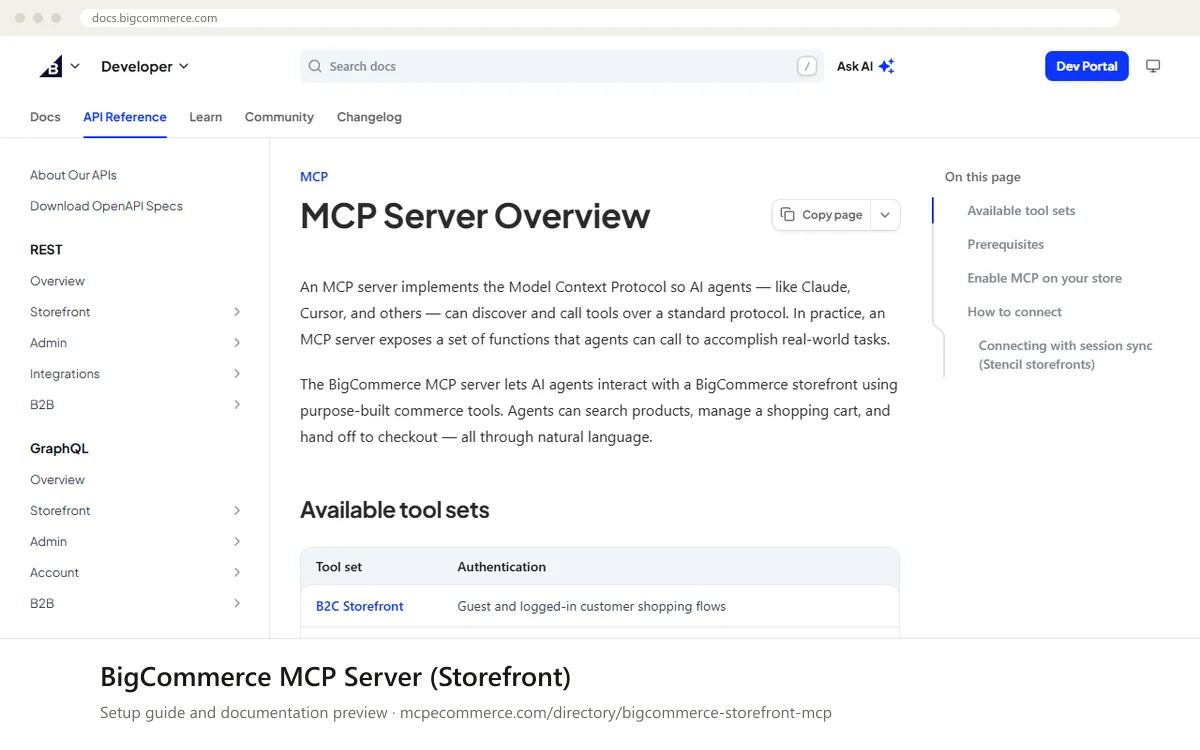
The BigCommerce Storefront MCP server is the vendor's official, hosted MCP endpoint for a store's front end. It lets an AI agent search the catalog, read product details, build and change a cart, and hand the shopper a checkout link. The shopper finishes payment on the store itself. Each storefront gets its own MCP server URL, which the store owner generates in the control panel. The listing marks it as private beta.
It is aimed at BigCommerce merchants and agencies who want to test AI shopping assistants, not at people who want reporting or store administration. The documentation describes a B2C tool set for guest and logged-in shoppers, plus a B2B tool set for authenticated Buyer Portal users, covering shopping lists and quotes, gated by B2B Edition and buyer permissions. Whether it works well depends on beta access, on a store owner enabling it, and on how complete and clean your catalog data is, because the agent can only describe what the storefront exposes.
BigCommerce merchants and agencies preparing for AI shopping assistants, once they have beta access.
Node.js 18 or higher.Exact commands and addresses change. Use the official documentation for the current steps.
Installation guide for BigCommerce MCP Server (Storefront)
Client-by-client steps, what to prepare, the first prompts to run and fixes for common errors.
 Claude
 ChatGPT
 Gemini
 Microsoft Copilot
 Perplexity
 CursorClaude Code
Watch out for: Private beta: access is required and the tool set is limited so far. It is a shopper-facing server, not a reporting or admin tool.
Not yet. The listing describes it as a private beta, so you need access before it works. Once you have it, a store owner enables Storefront MCP under Settings, API and MCP, accepts the terms, and copies the storefront's endpoint URL. Check with BigCommerce about access.
No. It is built for shopping: product search, product details, carts and checkout links. It is not a reporting or admin tool, so use other BigCommerce tools or the control panel for orders, analytics and store management.
The documentation lists Claude Desktop, Claude Code, Cursor and Warp. The connection uses the mcp-remote package through npx, which needs Node.js 18 or higher, and your storefront's MCP URL. Follow the vendor documentation for the exact setup for your client.
Agentic commerce · 7 min read
Shopify · 7 min read

Shopify · 6 min read
 Read-only
Shopify · Store platform
Gives an AI coding assistant Shopify's developer documentation and API schemas while you build apps, themes and extensions.
View details →
Varies by toolShopify · Store platform
A per-store MCP endpoint that lets AI shopping assistants search a store's catalog, read policies and work with a cart.
View details →
 Varies by tool
WooCommerce · Store platform
WooCommerce has added an MCP integration built on the WordPress Abilities API, exposing store operations to AI clients.
View details →