

Installation guide
How to install Mixpanel MCP Server
In Claude, ChatGPT, Gemini, Microsoft Copilot, Perplexity, Cursor and Claude Code, with what to check before you start and the first prompts to run.
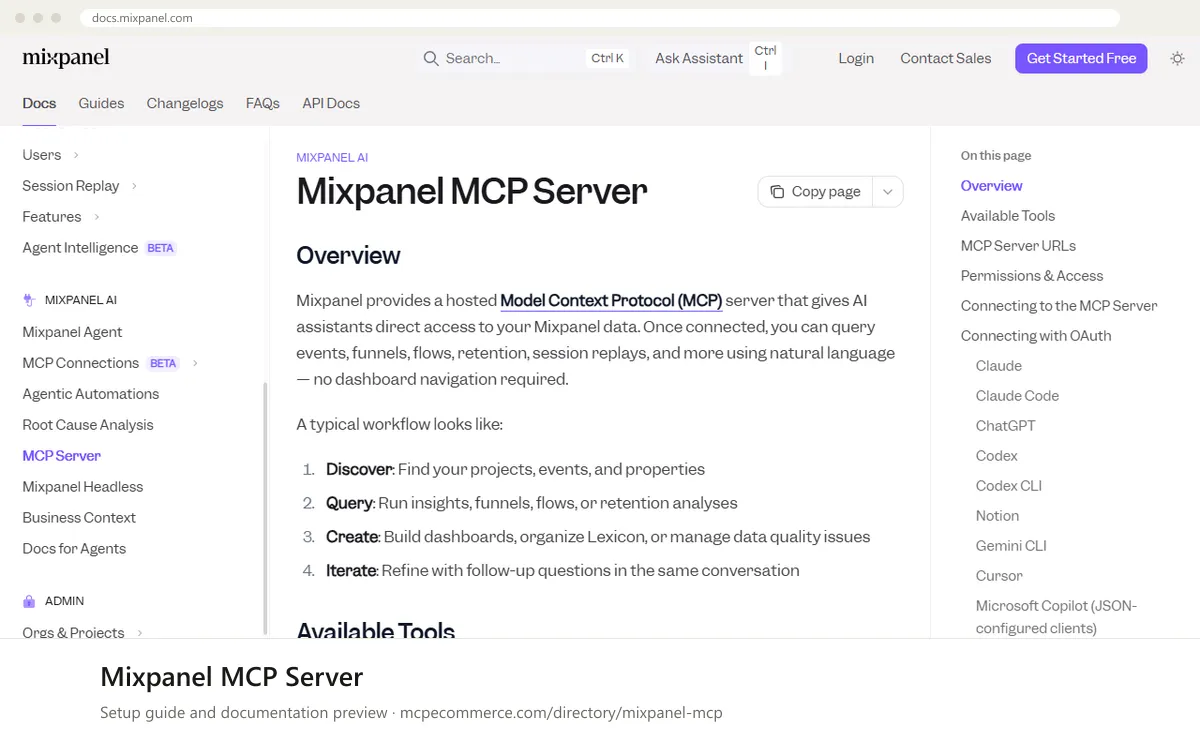
Mixpanel hosts this MCP server, so there is nothing to install on the server side. You add a regional URL to your AI client and sign in through the browser with your own Mixpanel account (OAuth). Your existing project roles apply, so the client only sees projects you can already open. A service account with a static header (Beta) is available for headless or shared setups.
An organization admin may first need to enable MCP in `Settings > Org > Overview`. After that, any Mixpanel user in the organization can connect. For a first setup, use a regular user account with read access to the projects you want to analyse. Use a service account only for automation, scoped to the projects it needs.
Before you start
- A Mixpanel account in the organization you want to query, and knowledge of your data region (US, EU or IN).
- MCP enabled for the organization: an org admin turns it on in
Settings > Org > Overview(the docs say newer free and growth accounts have it on by default). Changes can take up to 15 minutes. - The regional MCP URL:
https://mcp.mixpanel.com/mcp(US),https://mcp-eu.mixpanel.com/mcp(EU) orhttps://mcp-in.mixpanel.com/mcp(IN). Node.jswithnpxif you use Gemini CLI or Cursor, since the docs usemcp-remotefor those clients.- For service account use only: an Owner or Admin account to create the service account, plus a secret manager or environment variable to hold the credentials.
- How it runs
- Remote, added by URL
- Access
- Read and write
- Server address
https://mcp.mixpanel.com/mcp
 Mixpanel MCP Server in Claude
- Confirm MCP is enabled for your organization in
Settings > Org > Overview(admin only). - In Claude.ai or the Claude Desktop app, add Mixpanel and complete the Mixpanel OAuth flow. This is the docs' path for the US region.
- For EU or IN, go to
Settings > Connectors > Add Custom Connectorand enter your regional MCP URL, for examplehttps://mcp-eu.mixpanel.com/mcp. - Sign in with your own Mixpanel credentials in the browser when prompted.
- For a headless service account setup, the docs use
Settings > Developer > Edit Configwith aurland anAuthorizationheader inmcpServers. Restart Claude Desktop after saving. Take the exact header format from the Mixpanel docs.
https://mcp.mixpanel.com/mcp Mixpanel MCP Server in ChatGPT
- Confirm MCP is enabled for your organization in
Settings > Org > Overview. - For the US region, the docs say to add Mixpanel to ChatGPT and complete the Mixpanel OAuth flow.
- For EU or IN, or to publish a custom plugin to your workspace, first go to
Settings > Security and loginand enable Developer Mode. - Go to
Plugins, add a new plugin, set the MCP Server URL to your regional endpoint and set Authentication toOAuth. - Complete the Mixpanel OAuth flow in the browser. Optionally publish the connector to your workspace so teammates can use it.
https://mcp.mixpanel.com/mcp Mixpanel MCP Server in Gemini
- Confirm MCP is enabled for your organization and that
npxis available on your machine. - Run the
gemini mcp addcommand shown below. It usesmcp-remoteto reach the hosted server. Swap in the EU or IN URL if needed. - Alternatively, edit
~/.gemini/settings.jsonand add amixpanelentry undermcpServerswithcommandset tonpxandargsset to-y,mcp-remoteand the URL. - Start Gemini CLI and complete the Mixpanel browser sign-in when prompted.
- The docs do not cover Gemini app extensions, so use Gemini CLI for this server.
gemini mcp add mixpanel npx -y mcp-remote https://mcp.mixpanel.com/mcp Mixpanel MCP Server in Microsoft Copilot
- The docs do not cover Copilot Studio. They say any client that supports the MCP
JSONconfig format, including Microsoft Copilot, can use the samemcp-remotesnippet as Cursor. - For GitHub Copilot in VS Code, add the entry below to
.vscode/mcp.json, which uses a top-levelserversobject. This is the standard VS Code format, filled with the values from the Mixpanel docs. - Use the EU or IN URL in
argsif your data lives there. - Save the file and start the server from the editor. On first connect you are prompted to authorize with Mixpanel.
- For Copilot Studio, use its standard way of adding an MCP tool by URL and take the exact settings from the Mixpanel and Microsoft documentation.
{
"servers": {
"mixpanel": {
"command": "npx",
"args": [
"-y",
"mcp-remote",
"https://mcp.mixpanel.com/mcp"
]
}
}
} Mixpanel MCP Server in Perplexity
- The Mixpanel docs do not cover Perplexity, so these steps are generic.
- Open the Perplexity desktop app and find its connectors or MCP server settings.
- Add a new remote connector and enter your regional Mixpanel MCP URL.
- If the app asks for an authentication method, choose OAuth and sign in with your Mixpanel credentials in the browser.
- If the app only supports local commands, check the Perplexity documentation. A
mcp-remotecommand like the one used for Cursor may be an option, but the Mixpanel docs do not confirm it.
https://mcp.mixpanel.com/mcp Mixpanel MCP Server in Cursor
- Confirm MCP is enabled for your organization and that
npxis available. - In Cursor, go to
Settings > Tools & MCP > New MCP Server. This opens~/.cursor/mcp.json. - Add the
mixpanelentry below. Use the EU or IN URL inargsif needed. - Save the file. Cursor prompts you to authorize with Mixpanel on first connect.
- Complete the browser sign-in with your own Mixpanel account.
{
  "mcpServers": {
    "mixpanel": {
      "command": "npx",
      "args": [
        "-y",
        "mcp-remote",
        "https://mcp.mixpanel.com/mcp"
      ]
    }
  }
}
Mixpanel MCP Server in Claude Code
- Confirm MCP is enabled for your organization in
Settings > Org > Overview. - Run the
claude mcp addcommand below. Use the EU or IN URL if needed. - Inside Claude Code, run
/mcpand complete the Mixpanel OAuth flow in your browser. - For automation, the docs show a service account (Beta) with
--headeror an.mcp.jsonentry whoseAuthorizationheader usesBearer Basic ${MIXPANEL_SA_TOKEN}. SetMIXPANEL_SA_TOKENto your base64 credentials before starting Claude Code. - Prefer the environment variable form over pasting credentials into a config file.
claude mcp add --transport http mixpanel https://mcp.mixpanel.com/mcpCheck that it works
Start with questions that only read data. If these answer from your real account, the connection is good.
- List the Mixpanel projects and workspaces I have access to.
- List the top 20 events in my project and show their descriptions, so I can compare them with Lexicon.
- Run a read-only insights query for the daily count of one named event over the last 7 days, and tell me which project you used.
Troubleshooting
+The client says it cannot connect or the sign-in fails. What should I check?
First check that an org admin has enabled MCP in `Settings > Org > Overview`, since most accounts need this and changes can take up to 15 minutes. Then confirm the URL matches your data region (US, EU or IN). A US URL will not work for an EU or IN project.
+Why can I connect but not see a project or its data?
OAuth uses your own Mixpanel credentials, so existing project roles apply and you only see projects you can already open. For a service account, it must be added to each project it should query. Ask a project admin to grant access, then reconnect and run the projects listing again.
+Queries stop working or return errors after heavy use. Is there a limit?
The listing notes a limit of 600 requests per hour per user. Spread out large exploratory sessions and avoid loops that call many tools. Free plans can also have Query API access limits, so check the Mixpanel pricing page. Several tools are Beta, and Get-Audit-Log is limited to some customers.
Written Oct 13, 2026 from the vendor documentation. Exact menus, addresses and commands change; the official documentation is the source of truth.