
Installation guide
How to install monday.com Platform MCP
In Claude, ChatGPT, Gemini, Microsoft Copilot, Perplexity, Cursor and Claude Code, with what to check before you start and the first prompts to run.
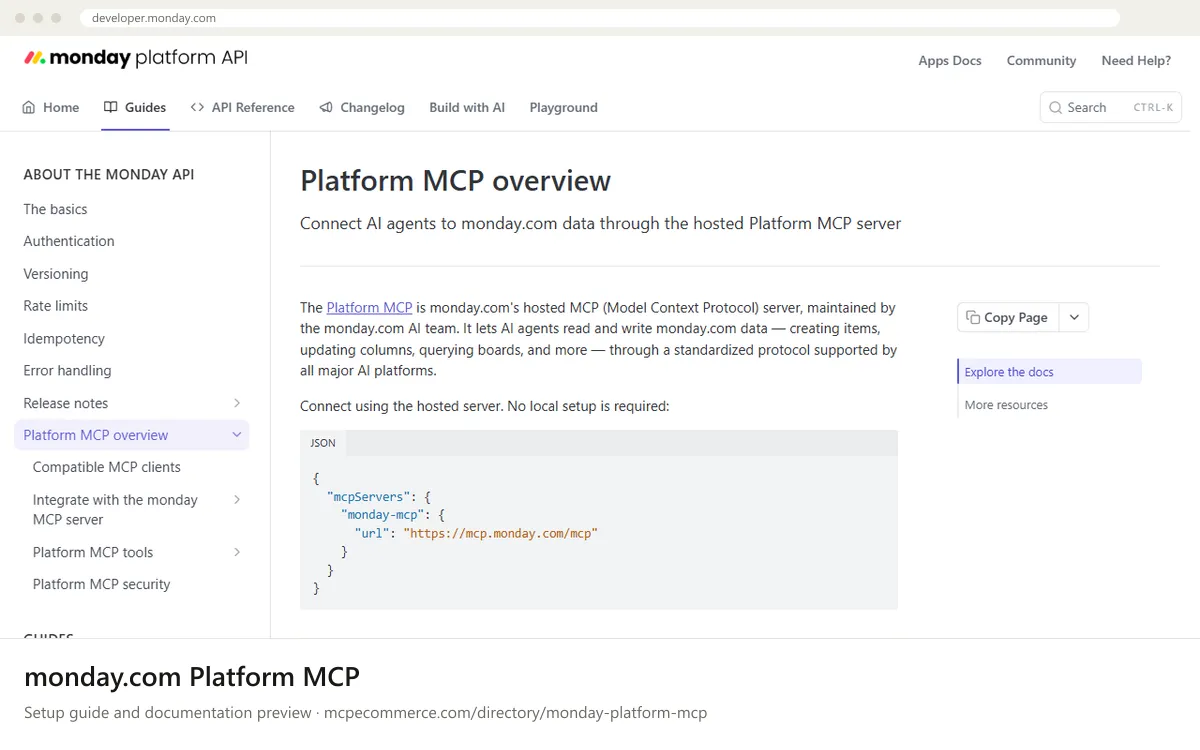
The monday.com Platform MCP is a hosted remote server. Nothing is installed locally: you add the URL `https://mcp.monday.com/mcp` to your AI client and authenticate. The documentation describes three auth paths: an API token, your own OAuth app, or dynamic client registration. Take the exact steps for each from the vendor documentation.
A monday.com admin or a technical owner of the account should do the setup, ideally with a user whose access is limited to the boards you want to test. Tool calls run as GraphQL API requests and count toward the account's daily API call limit. The server can read and write, so start with read-only prompts and allow changes only in supervised tasks.
Before you start
- A monday.com account, ideally a test user whose access is limited to the boards you want to try.
- An AI client on the vendor's compatible clients list (the docs name Claude, ChatGPT, Cursor, Copilot and Gemini, among others).
- A chosen auth path: an API token, your own OAuth app, or dynamic client registration, with the credentials ready if needed.
- Admin help if your account controls MCP connections: the docs say admins approve extra MCP connections and redirect URIs under the dynamic connectors setting.
- Awareness of the daily API call limit, since every MCP tool call counts toward it.
- How it runs
- Remote, added by URL
- Access
- Read and write
- Server address
https://mcp.monday.com/mcp
 monday.com Platform MCP in Claude
- Open Claude.ai or the Claude Desktop app and go to
Settings > Connectors. - Choose the option to add a custom connector by URL.
- Enter
https://mcp.monday.com/mcpand name itmonday-mcp. - Complete the monday.com sign-in and authorization when prompted. If you want to control access with your own OAuth app, follow the vendor page for integrating with Claude using a Custom App.
- Enable the connector in a conversation and check the tools are listed.
https://mcp.monday.com/mcp monday.com Platform MCP in ChatGPT
- In ChatGPT, enable Developer mode in the connectors settings (the monday.com docs do not give ChatGPT-specific steps here, so check the vendor compatible clients page).
- Add a new custom MCP connector.
- Enter
https://mcp.monday.com/mcpas the server URL. - Choose the authentication method offered and sign in to monday.com.
- Enable the connector in a chat and start with read-only prompts.
https://mcp.monday.com/mcp monday.com Platform MCP in Gemini
- The docs name Gemini as a compatible client but give no specific steps. Use Gemini CLI's standard way of adding a remote server in its settings file.
- Open the Gemini CLI settings file and find or create the
mcpServersobject. - Add an entry named
monday-mcpusing the hosted address. Check the vendor page for the exact key your Gemini CLI version expects for remote URLs. - Restart Gemini CLI and complete the monday.com authentication.
- Run a read-only prompt to confirm the tools load.
{
"mcpServers": {
"monday-mcp": {
"url": "https://mcp.monday.com/mcp"
}
}
} monday.com Platform MCP in Microsoft Copilot
- For Microsoft Copilot Studio, follow the vendor page for integrating monday MCP with Copilot Studio using a Custom App. It uses your own OAuth app, so take the exact values from that page.
- In Copilot Studio, add an MCP tool or custom connector pointing to
https://mcp.monday.com/mcp. - For GitHub Copilot in VS Code, create
.vscode/mcp.jsonwith aserversentry using the URL below. - Authenticate with monday.com when prompted.
- Ask an admin to review the dynamic connectors setting if the connection or redirect URI is blocked.
{
"servers": {
"monday-mcp": {
"url": "https://mcp.monday.com/mcp"
}
}
} monday.com Platform MCP in Perplexity
- The monday.com docs do not cover Perplexity, so use the app's standard way of adding a remote connector by URL.
- Open the Perplexity desktop app connectors settings and choose to add a custom or remote MCP connector.
- Enter
https://mcp.monday.com/mcpas the server URL. - Sign in to monday.com when prompted. If the app does not support OAuth flows, check the vendor page on API token authentication.
- Confirm availability of the connector in your Perplexity plan, then run a read-only prompt.
https://mcp.monday.com/mcp monday.com Platform MCP in Cursor
- Open Cursor's MCP settings.
- Add a new MCP server, which opens
mcp.json. - Paste the
monday-mcpentry below undermcpServers. - Save the file and complete the monday.com authentication when Cursor prompts you.
- Confirm the server shows as connected with its tools listed.
{
  "mcpServers": {
    "monday-mcp": {
      "url": "https://mcp.monday.com/mcp"
    }
  }
}
monday.com Platform MCP in Claude Code
- Open a terminal.
- Run the
claude mcp addcommand below to register the hosted server overHTTP. - Start
claudeand run/mcpto see the server status. - Complete the monday.com authentication if prompted. For the API token or own OAuth app paths, take exact values from the vendor documentation.
- Run a read-only prompt to confirm it works.
claude mcp add --transport http monday-mcp https://mcp.monday.com/mcpCheck that it works
Start with questions that only read data. If these answer from your real account, the connection is good.
- List the workspaces I can access in monday.com.
- Show the first 10 items from the board named <BOARD_NAME>, read-only, without changing anything.
- Who am I in monday.com, and which teams am I part of?
Troubleshooting
+The sign-in succeeds but my client cannot connect or the redirect fails. What should I check?
If your account restricts connections, an admin may need to approve the client or its redirect URI under the dynamic connectors setting. The docs say admins approve extra MCP connections and redirect URIs beyond the pre-approved third-party agents. Ask your admin to review it, then retry.
+Why do tool calls start failing after heavy use?
MCP tool calls run as GraphQL API requests and count toward the account's daily API call limit. If you hit it, calls may fail until the limit resets. Keep prompts narrow, query single boards, and see the vendor rate limits page for specifics.
+I see no tools for building monday.com apps. Is something missing?
Yes, by design. The Platform MCP covers account data such as boards, items, docs and workspaces. App development, such as scaffolding features and deploying code, uses the separate Apps MCP. The docs say both servers can run side by side, so add it as a second server if needed.
Written Oct 13, 2026 from the vendor documentation. Exact menus, addresses and commands change; the official documentation is the source of truth.