

Installation guide
How to install n8n MCP Server Trigger
In Claude, ChatGPT, Gemini, Microsoft Copilot, Perplexity, Cursor and Claude Code, with what to check before you start and the first prompts to run.
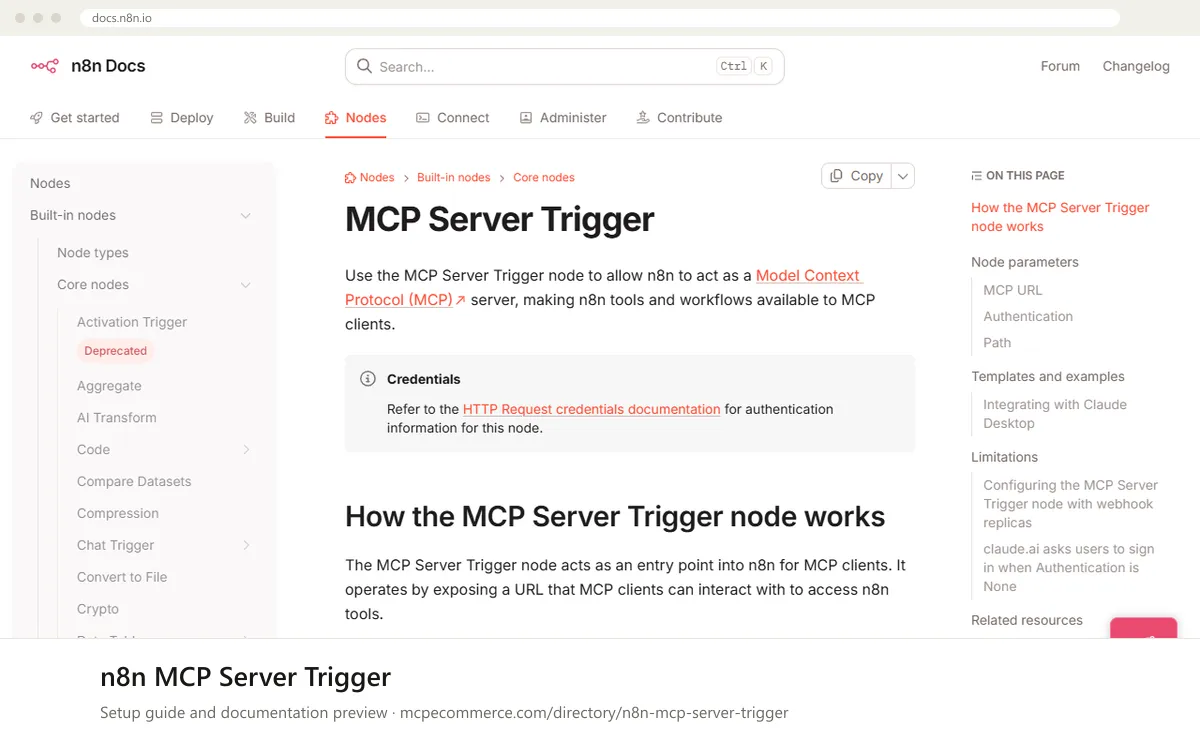
The MCP Server Trigger node turns an n8n workflow into an MCP server that you host yourself, on n8n Cloud or self-hosted. You build the server in n8n by attaching tool nodes, set authentication (None, Bearer auth or Header auth), then give the node's MCP URL to your MCP client. It supports SSE and streamable HTTP. It does not support stdio, so clients that only speak stdio need a gateway.
This is usually done by whoever owns your n8n instance, such as an automation lead or agency developer with permission to create and publish workflows. Use an n8n account that can create credentials. Expose read-only tools first. Add tools that change store data only for supervised tasks, and always protect the endpoint with bearer or header auth.
Before you start
- An n8n instance (Cloud or self-hosted) and an account that can create, test and publish workflows.
- The tool nodes, or existing workflows attached through the Custom n8n Workflow Tool node, that you want to expose. Start with read-only ones.
- A Bearer auth or Header auth credential, set up as described in the n8n
HTTPRequest credentials documentation. - If you self-host behind nginx or a load balancer: access to the proxy or ingress configuration, and in queue mode, to the webhook replica setup.
- An MCP client that can reach your n8n URL over the network.
- How it runs
- Remote, added by URL
- Access
- Varies by tool
- Server address
- Copy it from the vendor documentation
 n8n MCP Server Trigger in Claude
- In n8n, create a workflow, add the
MCP Server Triggernode, attach your tool nodes, and setAuthenticationtoBearer authorHeader auth. - Copy the
Production URLfrom the top of thenode panel.Publish the workflow first so this URL is registered. - For Claude.ai (web): open
Settings > Connectorsand add a custom connector by URL, then paste the MCP URL. - Expect a sign-in prompt in Claude.ai even if
AuthenticationisNone. The n8n docs say claude.ai is the only known client that does this, because it assumes every MCP endpoint on your domain uses n8n user authentication. - For the Claude Desktop app, the n8n docs describe running a gateway that proxies SSE messages to a stdio-based server. You add it to your Claude Desktop configuration with your
<MCP_URL>and<MCP_BEARER_TOKEN>values. - The documentation text we reviewed does not include the exact configuration block, so copy it from the vendor page, then restart Claude Desktop.
<MCP_URL> n8n MCP Server Trigger in ChatGPT
- In n8n, build the workflow with the
MCP Server Triggernode, setAuthentication, and publish it to register theProduction URL. - In ChatGPT, enable Developer mode for custom MCP connectors. The n8n docs do not cover ChatGPT, so check OpenAI's current instructions for the exact menu path.
- Add a new custom connector and paste the n8n
Production URLas the server URL. - If you chose
Bearer authorHeader auth, enter the matching credential in whatever authentication option ChatGPT offers for the connector. - Save the connector, enable it in a new chat, and run a read-only prompt first.
<MCP_URL> n8n MCP Server Trigger in Gemini
- In n8n, build and publish the workflow with the
MCP Server Triggernode, and copy theProduction URL. - The n8n docs do not cover Gemini. For Gemini CLI, add the server under
mcpServersin your Gemini settings file, using the remote URL option. - Check the Gemini CLI documentation for whether your URL needs the SSE or the streamable
HTTPkey, since n8n supports both. - If you use
Bearer authorHeader auth, add the matching header as described in the Gemini CLI documentation. - Restart Gemini CLI and list the available tools before calling any.
 n8n MCP Server Trigger in Microsoft Copilot
- In n8n, build and publish the workflow with the
MCP Server Triggernode, and copy theProduction URL. - For GitHub Copilot in VS Code, add a remote server by URL in
.vscode/mcp.jsonor through the MCP server command in VS Code. The n8n docs do not cover this client. - For Microsoft Copilot Studio, add an MCP tool or custom connector pointing at the same URL. Take the exact steps from Microsoft's documentation.
- Supply the
Bearer authorHeader authvalue in the client's authentication or headers field if you enabled auth on the node. - Start the server, confirm the tools are listed, and try a read-only tool first.
 n8n MCP Server Trigger in Perplexity
- In n8n, build and publish the workflow with the
MCP Server Triggernode, and copy theProduction URL. - Open the Perplexity desktop app and go to its connectors settings. The n8n docs do not cover Perplexity, so the exact menu names may differ.
- Add a custom or remote MCP connector and paste the MCP URL.
- Enter the bearer token or header value if you set
Authenticationon the node. - Save, then run a read-only prompt to confirm the tools appear.
<MCP_URL> n8n MCP Server Trigger in Cursor
- In n8n, build and publish the workflow with the
MCP Server Triggernode, and copy theProduction URL. - In Cursor, open the MCP settings and edit
mcp.json, or use the project-level file. - Add an entry under
mcpServerswith the n8n URL inurl. The n8n docs do not cover Cursor, so check Cursor's documentation for how to pass auth headers. - If you use
Bearer authorHeader auth, add the matching header using the placeholder<MCP_BEARER_TOKEN>for the token. - Save the file, reload Cursor if needed, and check that the server shows as connected with its tools listed.
{
  "mcpServers": {
    "n8n": {
      "url": "<MCP_URL>"
    }
  }
}
n8n MCP Server Trigger in Claude Code
- In n8n, build the workflow with the
MCP Server Triggernode, setAuthentication, and publish it so theProduction URLis registered. - Copy the
Production URLfrom thenode panel. - Run
claude mcp add --transport http n8n <MCP_URL>in your terminal, replacing<MCP_URL>with the copied URL. - If you enabled
Bearer authorHeader auth, add the matching header. The n8n docs do not cover Claude Code, so check the Claude Code documentation for the header option ofclaude mcp add. - Run
claude mcp listto confirm the server is registered, then startclaudeand check the tools.
claude mcp add --transport http n8n <MCP_URL>Check that it works
Start with questions that only read data. If these answer from your real account, the connection is good.
- List the tools available from the n8n MCP server and describe what each one does.
- Call one read-only tool you attached to the MCP Server Trigger node and show me the result.
- After a call, check the Executions tab of the workflow in n8n to confirm the production run was logged.
Troubleshooting
+Why does claude.ai ask me to sign in when Authentication is None?
The n8n docs say claude.ai custom connectors prompt for sign-in to n8n even when `Authentication` is `None`. It is the only client known to do this. claude.ai assumes every MCP endpoint on your domain uses n8n user authentication. Expect the prompt, or test the server from another client.
+Why do connections drop or events fail when I run n8n in queue mode?
SSE and streamable HTTP need the same server instance to handle a persistent connection. One webhook replica works. With several, route all `/mcp*` requests to a single dedicated webhook replica through your ingress or load balancer. Otherwise connections frequently break or fail to deliver events.
+The server is behind nginx and the client connects but hangs or gets no events. What should I change?
Check the proxy configuration for the MCP endpoint. The n8n docs say to set `proxy_buffering off`, `gzip off`, `chunked_transfer_encoding off` and `proxy_set_header Connection ''` in the `/mcp/` location block, so these are not inherited from elsewhere in your nginx config.
Written Oct 13, 2026 from the vendor documentation. Exact menus, addresses and commands change; the official documentation is the source of truth.