

Advertising · 7 min read

Automation
The MCP Server Trigger node turns an n8n workflow into an MCP server over SSE or Streamable HTTP, exposing attached tool nodes and sub-workflows to any MCP client with optional bearer or header auth.
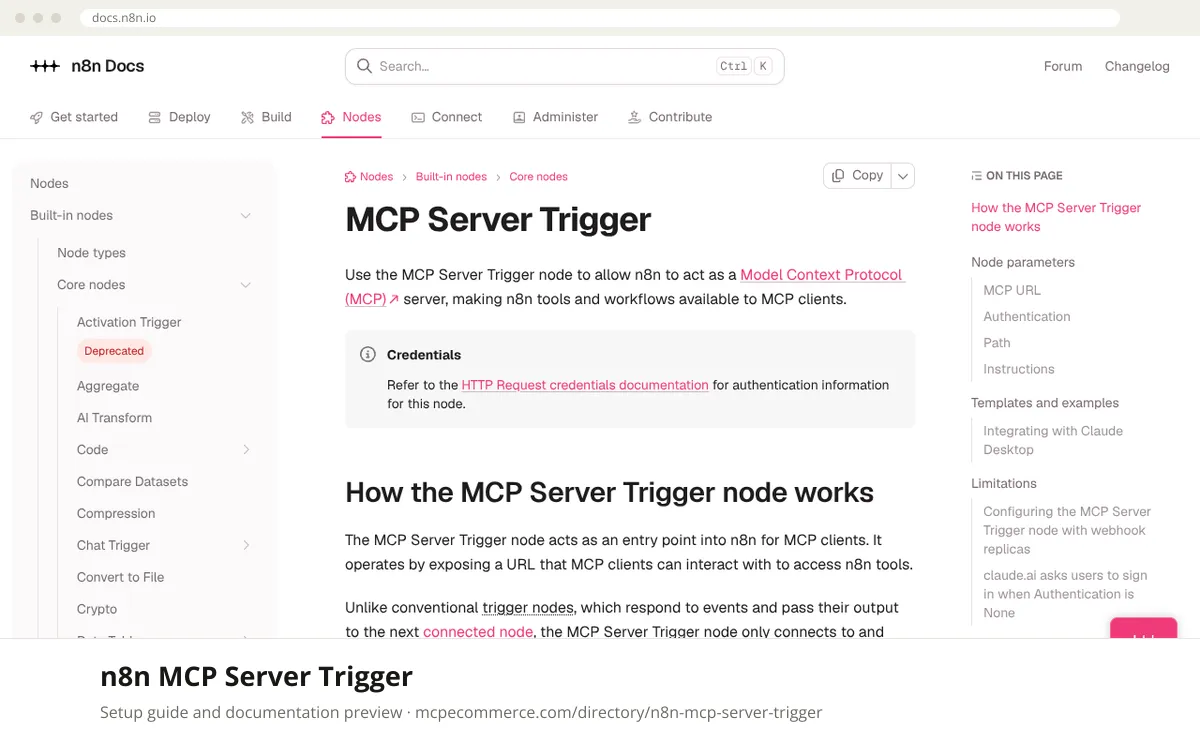
The MCP Server Trigger is a core node in n8n, the workflow automation tool. It turns an n8n workflow into an MCP server. Any MCP client can connect to a URL the node exposes, list the tools attached to it and call them. Those tools can be n8n tool nodes or whole workflows attached through the Custom n8n Workflow Tool node. It supports Server-Sent Events (SSE) and streamable HTTP, runs on n8n Cloud or self-hosted instances, and can require bearer, header or n8n user (OAuth2) authentication.
This is useful for agencies that already run Shopify, Klaviyo or ad reporting automations in n8n and want an AI assistant to trigger them without rebuilding anything. It is not a ready-made store connector. What the assistant can do depends on which tools and workflows you attach, and what credentials those workflows use. Whether it works well also depends on your hosting: queue mode with several webhook replicas, or a reverse proxy such as nginx, needs specific configuration or connections will break.
Agencies that already automate Shopify, Klaviyo or ad reporting in n8n and want to hand those flows to an AI agent.
HTTP Request credentials documentation. Avoid None unless the instance is not reachable from the public internet. Optionally add Instructions, which are sent to clients when they connect.npx with mcp-remote, the <MCP_URL> and an Authorization: Bearer header, with the token in an AUTH_TOKEN environment variable. Replace the placeholders with your node's URL and bearer token./mcp* requests to one dedicated webhook replica.Exact commands and addresses change. Use the official documentation for the current steps.
Installation guide for n8n MCP Server Trigger
Client-by-client steps, what to prepare, the first prompts to run and fixes for common errors.
 Claude
 ChatGPT
 Gemini
 Microsoft Copilot
 Perplexity
 CursorClaude Code
Watch out for: No stdio support, queue mode needs a dedicated webhook replica and claude.ai prompts for sign-in even when auth is set to None.
Yes, with a caveat. The documentation says claude.ai custom connectors ask you to sign in to n8n even when Authentication is set to None. It is the only client known to do this, because it assumes every MCP endpoint on your domain uses n8n user authentication. Expect the sign-in prompt.
Step-by-step: install n8n MCP Server Trigger in Claude, ChatGPT, Gemini, Copilot and more →
The test URL is registered when you select Listen for Test Event or Execute workflow on an inactive workflow, and n8n shows the data in the editor. The production URL is registered when you publish the workflow and does not show data in the editor. View production runs in the Executions tab.
Two causes are covered in the documentation. In queue mode with multiple webhook replicas, route all `/mcp*` requests to one dedicated webhook replica. Behind a reverse proxy such as nginx, disable proxy buffering, gzip and chunked transfer encoding for the MCP endpoint, and clear the Connection header.
Questions readers and searchers ask about n8n MCP Server Trigger, answered by the site editor from the vendor documentation, plus reader experience. Every comment is reviewed before it appears.
Advertising · 7 min read

Other platforms · 7 min read

Other platforms · 7 min read
 Read and write
Zapier · Automation
Exposes Zapier's catalog of app actions to an assistant, so it can trigger workflows across thousands of tools.
View details →
 Varies by tool
Make · Automation
Make's cloud MCP server lets AI clients run on-demand scenarios as tools and, on paid plans, view and modify scenarios, connections, webhooks, data stores, teams and organizations.
View details →