
Installation guide
How to install Yotpo Discover MCP
In Claude Desktop, ChatGPT, Cursor and Claude Code, with what to check before you start and the first prompts to run.
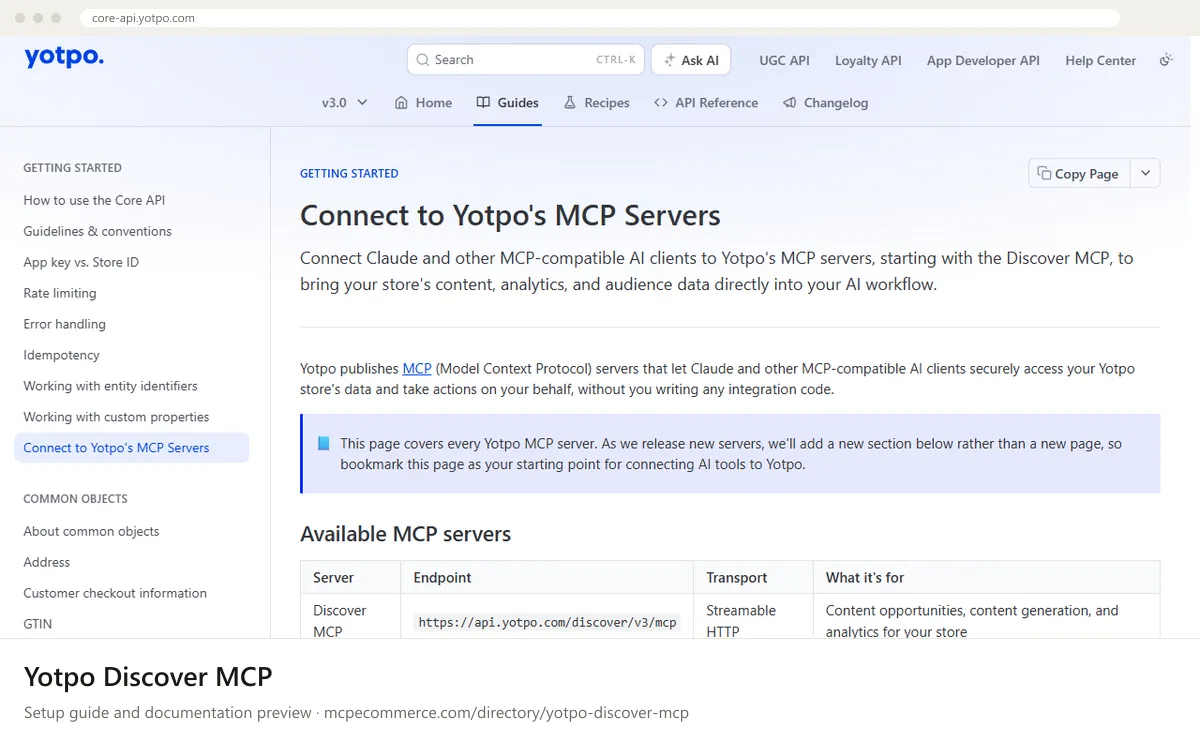
Yotpo Discover MCP is a remote server hosted by Yotpo. You add it to your AI client by URL and sign in to Yotpo with OAuth 2.0 when prompted. There is no API key or token to copy and paste, and nothing to install locally. It covers Discover only (content opportunities, content generation, visibility and traffic analytics). Reviews and loyalty data are not included yet.
The person who manages the Yotpo store, or an agency user whose login is tied to that specific store, should do this. Use the Yotpo account that has access to Discover for the store you want to connect. All data returned is scoped to the store you authenticate with, so the account you sign in with decides which store the AI client sees.
Before you start
- A Yotpo account with access to Discover
- Knowing which Yotpo store you want to connect; agencies should use a login tied to that store
- An MCP-compatible AI client that supports remote servers and OAuth, such as Claude.ai, Claude Desktop or Claude Code
- Permission in your AI workspace to add custom connectors (on team plans this may need an admin)
- A browser session where you can log in to Yotpo and approve access
- How it runs
- Remote, added by URL
- Access
- Varies by tool
- Server address
- https://api.yotpo.com/discover/v3/mcp
 Yotpo Discover MCP in Claude Desktop
- Open Claude Desktop and go to Settings > Connectors.
- Select Add custom connector.
- Enter a name such as Yotpo Discover and the endpoint URL https://api.yotpo.com/discover/v3/mcp.
- Select Connect.
- When redirected, log in to Yotpo with the account tied to the store you want and approve access.
- Start a new chat and confirm the Yotpo Discover connector is available before running the verification prompts.
 Yotpo Discover MCP in ChatGPT
- The Yotpo documentation does not cover ChatGPT, so use ChatGPT's standard way of adding a remote MCP server by URL. Custom connectors may need to be enabled for your plan or workspace.
- Open the connectors or integrations settings in ChatGPT and choose to add a custom or remote MCP connector.
- Enter a name such as Yotpo Discover and the URL https://api.yotpo.com/discover/v3/mcp. The transport is Streamable HTTP and authentication is OAuth 2.0.
- Complete the sign-in: log in to Yotpo and approve access for the correct store.
- Enable the connector in a new chat and start with read-only questions.
 Yotpo Discover MCP in Cursor
- The Yotpo documentation does not cover Cursor by name. It describes a generic JSON block for remote MCP clients, which is how Cursor adds remote servers.
- Open Cursor's settings and find the MCP section, then choose to add a new MCP server or edit its MCP configuration file.
- Add a server entry named yotpo-discover under the mcpServers key, with its url set to https://api.yotpo.com/discover/v3/mcp.
- Save the configuration, then start the OAuth login when Cursor prompts you, and approve access in Yotpo.
- Check that the server shows as connected and lists its tools.
Yotpo Discover MCP in Claude Code
- Open a terminal where Claude Code is installed.
- Run the command from the Yotpo documentation: claude mcp add --transport http yotpo-discover https://api.yotpo.com/discover/v3/mcp
- Start Claude Code and run /mcp to check connection status.
- If you have not authenticated yet, use /mcp to trigger the OAuth login, then log in to Yotpo and approve access.
- Run /mcp again to confirm yotpo-discover shows as connected.
Check that it works
Start with questions that only read data. If these answer from your real account, the connection is good.
- List the content opportunities Yotpo Discover has found for my store, grouped by topic.
- Show my store's visibility analytics from Discover for the most recent period available, and summarize the main traffic sources.
- Check the status of any content briefs or blog drafts already in progress in Discover. Do not start new generation.
Troubleshooting
+Why am I asked to log in to Yotpo again?
OAuth sessions can expire. Reconnect the server from your client and approve access again. In Claude Code, run /mcp to trigger the login. In Claude.ai or Claude Desktop, disconnect and reconnect the connector. If it keeps happening, contact Yotpo support.
+Why am I seeing data from the wrong store?
Data is scoped to the store you authenticate with. Disconnect the server, then reconnect and log in with the Yotpo account tied to the store you want. Agencies managing several stores should check which account the browser is signed in to before approving access.
+Why can't I find review or loyalty tools?
Only the Discover server exists today. It covers content opportunities, content generation and analytics. Reviews and loyalty data are not included, and Yotpo says more servers will be added. If Discover tools are missing too, confirm your account has Discover access and reconnect.
Written Oct 13, 2026 from the vendor documentation. Exact menus, addresses and commands change; the official documentation is the source of truth.