

Installation guide
How to install Reaktion MCP
In Claude, ChatGPT, Gemini, Microsoft Copilot, Perplexity, Cursor and Claude Code, with what to check before you start and the first prompts to run.
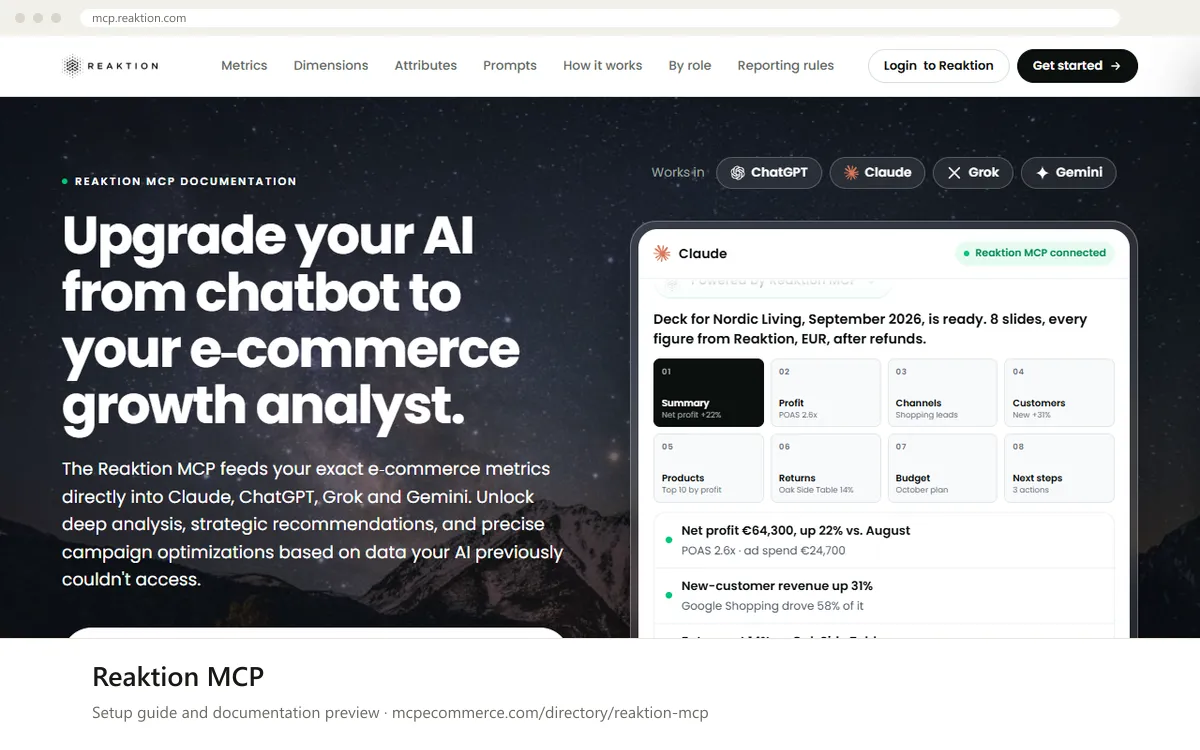
Reaktion MCP is hosted by Reaktion, so there is nothing to run locally. You add the server URL `https://api.reaktion.com/mcp` to your AI client as a connector and sign in with your Reaktion user. The documentation says the connection works in ChatGPT, Claude, Grok and Gemini, and it links Reaktion's own installation guides for Claude, ChatGPT, Grok Bot and Gemini. Grok is not one of the clients this page covers; the vendor's description is that you paste one message in the Grok Bot chat, which adds the Reaktion MCP and walks you through authorization. Steps for other clients are not documented by the vendor; where this page gives them, they are the client's generic method for adding a remote MCP server by URL, marked as such.
Whoever does this needs a Reaktion login with access to the organisations they want to report on. The server is read-only and shows only those organisations, so there is no API key to scope.
Before you start
- A Reaktion account whose organisation has the data sources connected that you want to ask about: store, ad accounts, GA4, Search Console, Klaviyo. The MCP reports only on data Reaktion already holds.
- The server URL
https://api.reaktion.com/mcp, shown on the documentation page. - An MCP client that supports remote servers. The vendor lists ChatGPT, Claude, Grok and Gemini.
- For net profit questions, cost settings in Reaktion (product costs, shipping, payment fees and custom cash flows). Without them net profit is labelled unavailable.
- Pricing, trial terms and plan requirements for the MCP are not stated in the documentation. Ask Reaktion if your plan is a question.
- How it runs
- Remote, added by URL
- Access
- Read-only
- Server address
https://api.reaktion.com/mcp
 Reaktion MCP in Claude
- Open Claude.ai or the Claude Desktop app and go to the connectors settings (
Settings > Connectors). - Choose to add a custom connector and enter the server URL
https://api.reaktion.com/mcp. - Sign in with your Reaktion user when the connector asks. You will only see the organisations that user can already access.
- Start a new chat, enable the Reaktion connector and run an inventory prompt from the list below. The vendor says the setup takes about two minutes and no code; its own guide for Claude is linked from mcp.reaktion.com under Get started.
https://api.reaktion.com/mcp Reaktion MCP in ChatGPT
- In ChatGPT, turn on Developer mode in the connector settings, which is required for custom MCP connectors.
- Add the Reaktion connector with the server URL
https://api.reaktion.com/mcp. - Sign in with your Reaktion account when prompted.
- Enable the connector in a new chat and run an inventory prompt from the list below. The vendor's own guide for ChatGPT is linked from mcp.reaktion.com under Get started.
https://api.reaktion.com/mcp Reaktion MCP in Gemini
- In the Gemini app, add Reaktion under Connected Apps as a custom MCP server with the URL
https://api.reaktion.com/mcp. This is the vendor's own description; its installation guide for Gemini is linked from mcp.reaktion.com under Get started. - Sign in with your Reaktion account when prompted.
- Run an inventory prompt from the list below.
- Gemini CLI is not covered by the vendor's guide. If you use it, its generic method for a remote MCP server by URL applies, and the Reaktion sign-in step decides whether it works.
https://api.reaktion.com/mcp Reaktion MCP in Microsoft Copilot
- Not documented by the vendor. Reaktion lists ChatGPT, Claude, Grok and Gemini as supported clients and gives no steps for Microsoft Copilot Studio or GitHub Copilot.
- If you try it anyway, use the client's own method for adding a remote MCP server by URL with
https://api.reaktion.com/mcp, and expect the Reaktion sign-in step to decide whether it works. Nothing more specific can be said from the documentation.
 Reaktion MCP in Perplexity
- Not documented by the vendor. Reaktion lists ChatGPT, Claude, Grok and Gemini as supported clients and gives no steps for Perplexity.
- If you try it anyway, use the Perplexity desktop app's own method for adding a remote MCP connector by URL with
https://api.reaktion.com/mcp, and expect the Reaktion sign-in step to decide whether it works. Nothing more specific can be said from the documentation.
 Reaktion MCP in Cursor
- Not documented by the vendor. The steps below are Cursor's generic method for a remote MCP server by URL; the Reaktion sign-in step decides whether it works.
- Open
~/.cursor/mcp.json(or Cursor's MCP settings) and add thereaktionentry shown below. - Save the file and check that Cursor lists the server, then complete the Reaktion sign-in if Cursor prompts for it.
- Run an inventory prompt from the list below.
{
  "mcpServers": {
    "reaktion": {
      "url": "https://api.reaktion.com/mcp"
    }
  }
}
Reaktion MCP in Claude Code
- Not documented by the vendor. The command below is Claude Code's standard way to register a remote server over
HTTP; the Reaktion sign-in step decides whether it works. - Open a terminal and run the
claude mcp addcommand below. - Start
claude, run/mcpto see the server status and complete the Reaktion sign-in if prompted. - Run an inventory prompt from the list below.
claude mcp add --transport http reaktion https://api.reaktion.com/mcpCheck that it works
Start with questions that only read data. If these answer from your real account, the connection is good.
- Which Reaktion user am I signed in as, and which organisations can I access?
- List the data sources and accounts connected to my organisation, with their reporting currencies and recent data availability.
- For my organisation, show orders, total sales excluding VAT after refunds and ad spend for last week compared with the week before, and state the basis of each number.
Troubleshooting
+I only see some of my organisations. Why?
The MCP is permission-aware: it shows only the organisations your Reaktion user can already access. Sign in with the user that has access, or have the organisation owner grant it in Reaktion. Agencies see each client separately, and client data is never merged.
+A metric is in the catalog, but my report says it is unavailable.
The documentation describes three states of data. A definition can exist in the catalog (inspect_reporting finds it), your connected sources must support it at the breakdown you asked for (organisation plus grain), and data must exist for the period with its caveats stated in the export (read_report metadata). An unavailable metric usually means your sources do not support it at that grain, or the cost settings it needs are missing.
+Net profit is missing.
Net profit needs cost settings: product costs, shipping, payment fees and custom cash flows. Without them the MCP labels the metric as unavailable instead of guessing. Add the costs in Reaktion and ask again.
+ROAS differs from what Google Ads or Meta shows.
Reaktion uses your organisation's primary conversion setup, which can include server-side tracked orders the pixel missed, and it reports ROAS and POAS on attributed conversions including VAT before refunds. The Tracking Uplift metric shows how many extra orders Reaktion recovers. Compare like with like before concluding either number is wrong.
+Can I filter to specific accounts or rows, or write my own formula?
Not yet. Custom formula authoring and account or row filters are unsupported according to the documentation. Use dimensions to break results down and ask the assistant to focus on the rows you care about.
+My client is not ChatGPT, Claude, Grok or Gemini. Will it work?
The vendor documents ChatGPT, Claude, Grok Bot and Gemini. Other clients are not documented. A client that supports remote MCP servers by URL may connect, but whether the Reaktion sign-in completes there is not something the documentation answers.
Written Oct 27, 2026 from the vendor documentation. Exact menus, addresses and commands change; the official documentation is the source of truth.
Questions and answers
Questions readers and searchers ask about installing Reaktion MCP, answered by the site editor from the vendor documentation, plus reader experience. Every comment is reviewed before it appears.