

Analytics and tracking · 12 min read

Analytics
Reaktion's hosted, read-only MCP server gives ChatGPT, Claude, Grok and Gemini access to the store, advertising, analytics and messaging data connected to a Reaktion organisation: 1,204 metric definitions, 68 dimensions and 467 attributes with Reaktion's profit definitions applied, and four reporting tools that find, plan, run and read a report.
Full review: Reaktion MCP review: what it does, who it is for and what to check first →
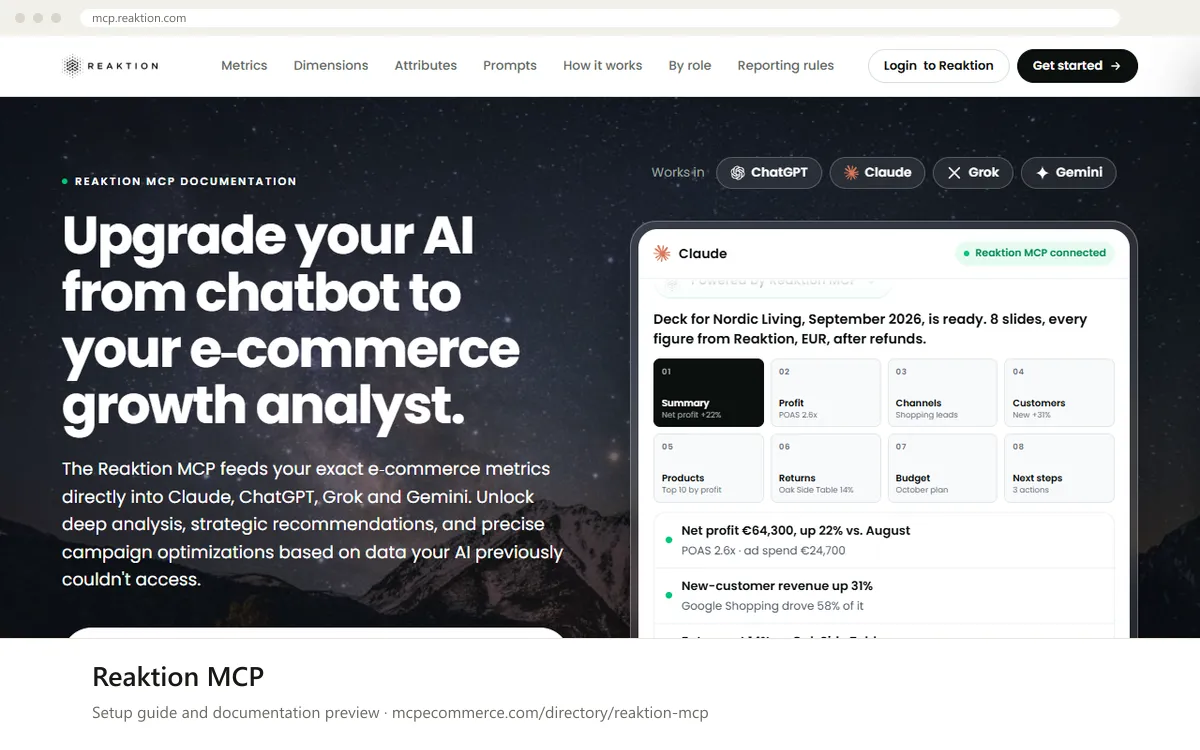
Reaktion MCP is a remote MCP server at https://api.reaktion.com/mcp, hosted by Reaktion (Reaktion.com ApS), an e-commerce analytics and tracking company. It gives ChatGPT, Claude, Grok and Gemini read access to the data connected to a Reaktion organisation: store orders and costs from Shopify, WooCommerce, Magento 2 or Dandomain, spend and conversions from Google Ads, Meta Ads, Pinterest Ads, TikTok Ads and Google Merchant Center, sessions from Google Analytics 4, Google Search Console, Klaviyo email and SMS, the affiliate networks Adtraction and Partner Ads, and custom cash flows. The documentation lists 1,204 metric definitions, 68 dimensions, 467 attributes and 44 ready-made prompts.
The point of the server is profit reporting in plain language. Every metric carries its basis (VAT treatment, refund treatment and conversion source), store financials are reported excluding VAT and after refunds, and paid-channel ROAS and POAS are labelled as attributed conversions that can include VAT and are before refunds, so the two are not compared by mistake. The server is read-only and permission-aware: it never changes campaigns, budgets or flows, and a user sees only the organisations their Reaktion login can already access.
Merchants and agencies already on Reaktion who want profit-based answers (POAS, gross and net profit, new-customer profit) in ChatGPT or Claude without building dashboards.
https://api.reaktion.com/mcp and sign in with your Reaktion user. The vendor says this takes about two minutes and no code, and links its own installation guide from the documentation page.Exact commands and addresses change. Use the official documentation for the current steps.
Installation guide for Reaktion MCP
Client-by-client steps, what to prepare, the first prompts to run and fixes for common errors.
 Claude
 ChatGPT
 Gemini
 Microsoft Copilot
 Perplexity
 CursorClaude Code
Watch out for: Needs a Reaktion account with connected data sources and reports only on data Reaktion holds. Paid-channel ROAS and POAS use attributed conversions that can include VAT before refunds, so they are not the same basis as store profit, which is excluding VAT after refunds. Pricing, trial terms and plan requirements are not stated in the documentation.
A remote MCP server from Reaktion that gives ChatGPT, Claude, Grok and Gemini read access to the normalized ecommerce, marketing, analytics and messaging data of a Reaktion organisation, with Reaktion's profit definitions applied. The endpoint is https://api.reaktion.com/mcp, and the documentation at mcp.reaktion.com lists every metric, dimension, attribute and prompt.
Step-by-step: install Reaktion MCP in Claude, ChatGPT, Gemini, Copilot and more →
Yes. You sign in with your Reaktion user and see only the organisations that user can already access. The documentation does not state pricing, trial terms or plan requirements for the MCP; the page has a free trial button that leads to a Reaktion sign-up page and a demo button that leads to a booking page, and nothing more about cost.
No. It is read-only and never changes campaigns, budgets or flows. It can recommend budget moves or negative keywords, and you make the changes in the ad platform.
Reaktion uses your organisation's primary conversion setup, which can include server-side tracked orders the pixel missed, and it reports ROAS and POAS on attributed conversions including VAT before refunds. The Tracking Uplift metric shows how many extra orders Reaktion recovers.
Step-by-step: install Reaktion MCP in Claude, ChatGPT, Gemini, Copilot and more →
Questions readers and searchers ask about Reaktion MCP, answered by the site editor from the vendor documentation, plus reader experience. Every comment is reviewed before it appears.
 Read-only
Google · Analytics
An open-source server that lets an assistant read GA4 properties: reports, realtime data and property settings.
View details →
 Read and write
Mixpanel · Analytics
Mixpanel's hosted MCP server (US, EU and IN endpoints) lets an AI client run insights, funnel, flow and retention queries, build dashboards, manage cohorts and Lexicon metadata and analyse session replays, after an org admin enables MCP.
View details →
Amplitude · Analytics
Amplitude's remote MCP server (EU variant available) uses OAuth and the user's existing permissions to search charts and dashboards, run segmentation, funnel and retention queries and create or edit charts, cohorts, experiments and feature flags.
View details →