

Agentic commerce · 7 min read

Store platform
Shopify's Customer Account MCP lets an agent act for a signed-in customer: look up their orders, account details and subscriptions through an authenticated, per-customer connection.
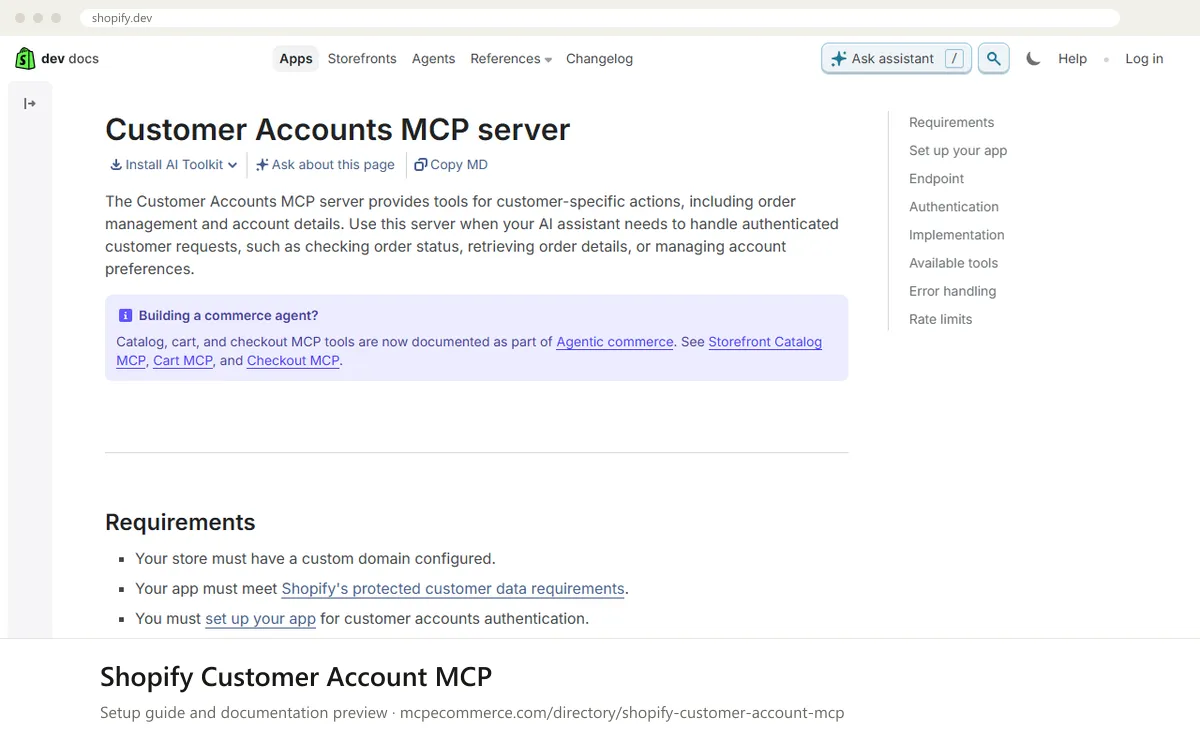
Shopify's Customer Account MCP is a vendor-hosted server that lets an AI agent act for one signed-in customer on a Shopify store. According to the documentation, it provides tools for customer-specific actions such as checking order status, retrieving order details and managing account preferences. Access is tied to the customer's own OAuth 2.0 authorization, so the agent works inside that customer's account scope and not across the whole store.
This is a developer-built integration, not a switch a merchant turns on in the admin. It suits teams building shopping or support assistants that need to answer questions like where a specific customer's order is. What decides whether it works well is the setup: the store needs a custom domain, the app must meet Shopify's protected customer data requirements, and customer accounts authentication must be configured correctly. Merchants and agencies should review the requested data fields and the actions the agent is allowed to take before launch.
Developers building shopping or support agents that need to act for an authenticated customer on a Shopify store.
PKCE to get an access token, send MCP requests with that token, and use the tools/list command to see which tools are available. Test only on the dev store first.Exact commands and addresses change. Use the official documentation for the current steps.
Installation guide for Shopify Customer Account MCP
Client-by-client steps, what to prepare, the first prompts to run and fixes for common errors.
 Claude
 ChatGPT
 Gemini
 Microsoft Copilot
 Perplexity
 CursorClaude Code
Watch out for: Involves customer authentication and personal data. Review the authorization flow and what the agent is allowed to do before enabling it.
It gives an AI agent tools for authenticated, customer-specific requests on a Shopify store. The documentation lists checking order status, retrieving order details and managing account preferences. Each request runs with the signed-in customer's OAuth access token, so the agent only sees that customer's data.
Yes, in practice. The documented setup includes Shopify CLI, protected customer data access requests, app configuration, redirect URIs and an OAuth 2.0 flow with PKCE. A merchant can supply the store and approve the data use, but a developer or agency should build and test the integration.
Step-by-step: install Shopify Customer Account MCP in Claude, ChatGPT, Gemini, Copilot and more →
The documentation lists three: the store must have a custom domain, the app must meet Shopify's protected customer data requirements, and the app must be set up for customer accounts authentication. Follow the vendor documentation for the exact steps and current details.
Step-by-step: install Shopify Customer Account MCP in Claude, ChatGPT, Gemini, Copilot and more →
Agentic commerce · 7 min read
Shopify · 7 min read

Shopify · 7 min read
Read-onlyShopify · Store platform
Gives an AI coding assistant Shopify's developer documentation and API schemas while you build apps, themes and extensions.
View details →
Varies by toolShopify · Store platform
A per-store MCP endpoint that lets AI shopping assistants search a store's catalog, read policies and work with a cart.
View details →
 Varies by tool
WooCommerce · Store platform
WooCommerce has added an MCP integration built on the WordPress Abilities API, exposing store operations to AI clients.
View details →