

Getting started · 7 min read

Store platform
Wix's hosted MCP server lets AI assistants build and manage Wix sites and business solutions, including eCommerce, through OAuth-authenticated access to a site's data and APIs.
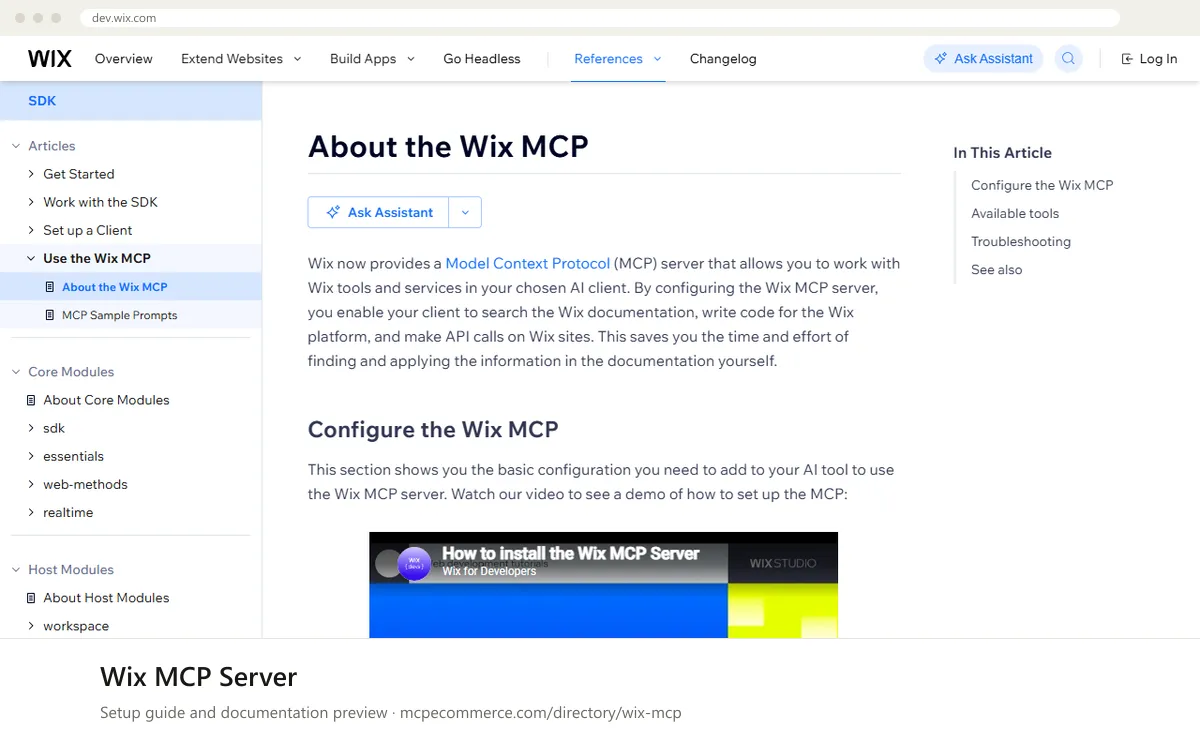
The Wix MCP Server is Wix's official, hosted connection between an AI assistant and your Wix account. Once it is added to a client such as Claude, Cursor, Copilot or Windsurf, the assistant can search Wix documentation, list your sites, read a site's details and installed apps, and make API calls against a selected site. Business data such as Stores products, Bookings and CMS content is reached through the site API tools. Account-level actions such as creating, updating or publishing a site go through a separate tool. Nothing needs to be hosted by you, because the server runs at Wix.
For a merchant or agency, the value is faster routine work on Wix stores: checking catalogue or order data, preparing bulk changes, uploading images to the Media Manager, or getting answers about how a Wix feature works. It suits people who already manage Wix sites and are comfortable approving each action their assistant proposes. How well it works depends on three things: which Wix account you sign in with, how clearly you name the site you mean, and whether you keep the first sessions to read-only questions. The documentation also lists a Node.js requirement for some configurations, so check that before you start.
Wix merchants and agencies who want assistant access to their stores without running anything.
Node.js version 19.9.0 or higher is needed, and you need a Wix account with access to the sites you want to work with.Exact commands and addresses change. Use the official documentation for the current steps.
Installation guide for Wix MCP Server
Client-by-client steps, what to prepare, the first prompts to run and fixes for common errors.
 Claude
 ChatGPT
 Gemini
 Microsoft Copilot
 Perplexity
 CursorClaude Code
Watch out for: It can modify a live site. Approve write actions deliberately and start with read-only questions.
It is an official server provided by Wix and hosted by Wix, and the listing marks it as generally available. The documentation text provided does not state any pricing for the MCP itself, so check the vendor documentation and your Wix plan for any costs on the sites you connect.
Step-by-step: install Wix MCP Server in Claude, ChatGPT, Gemini, Copilot and more →
For clients that support remote MCP, you add a short configuration entry and sign in. For clients that do not, the documentation describes running the Wix mcp-remote package through npx, which requires Node.js 19.9.0 or higher. Follow the vendor documentation for your specific client.
Step-by-step: install Wix MCP Server in Claude, ChatGPT, Gemini, Copilot and more →
Yes. Its tools can make API calls on a selected site, upload images to the Media Manager, and create, update or publish sites. Start with read-only questions, review what the assistant plans to do, and approve each write action yourself, preferably on a test site first.
Getting started · 7 min read

Advertising · 7 min read

Analytics and tracking · 7 min read
 Read-only
Shopify · Store platform
Gives an AI coding assistant Shopify's developer documentation and API schemas while you build apps, themes and extensions.
View details →
Varies by toolShopify · Store platform
A per-store MCP endpoint that lets AI shopping assistants search a store's catalog, read policies and work with a cart.
View details →
 Varies by tool
WooCommerce · Store platform
WooCommerce has added an MCP integration built on the WordPress Abilities API, exposing store operations to AI clients.
View details →