
Other platforms
Claude vs ChatGPT MCP Ecommerce: Which Works Better?
By Martin Lovfjall, Editor, MCP Ecommerce · Published · 7 min read
The short answer
For most merchants, Claude is the easier starting point for MCP servers: custom connectors are available on every plan, and setup is a single menu path. ChatGPT supports MCP too, but custom connectors sit behind paid plans and Developer Mode (beta). Both can use the same MCP servers in theory, so the better choice depends on your plan, your team and how tightly you control permissions.
In a Claude vs ChatGPT MCP ecommerce comparison, Claude is currently simpler to connect to store and marketing tools, while ChatGPT is a reasonable choice if your team already works in it and is on a paid plan. Neither is clearly "better" for every store. The difference is mostly in plans, setup friction and how each handles write access.
MCP (Model Context Protocol) is an open standard that lets an AI assistant connect to external tools and data, such as your store, ad accounts or email platform. If you are new to it, start with "What Is MCP? A Plain-English Guide for E-commerce Merchants".
Details in this area change quickly. Menu names, plan limits and beta labels below come partly from secondary sources, so confirm them in each vendor's help center before you roll anything out.
Does the MCP server care whether I use Claude or ChatGPT?
Mostly no. MCP was created by Anthropic, and in December 2025 it was donated to the Agentic AI Foundation, a Linux Foundation fund co-founded with Block and OpenAI (reported by secondary sources; see the MCP site for the current governance). That makes the protocol vendor-neutral.
In practice, an MCP server built for one assistant should work with another, in theory. The word "theory" matters. Each assistant is a different MCP client (the app that connects to servers), and clients differ in:
- which transports they support (how they talk to the server)
- which sign-in methods they accept
- which tools they actually call
- how connectors are switched on and managed
So the server you pick matters as much as the assistant. See "Best MCP Servers for E-commerce and Marketing Teams (2026)" for server options.
How does Claude work with MCP servers?
Claude supports connectors across Claude (web and apps), Claude Desktop, Claude Code and the API.
How to connect. Custom connectors use remote MCP servers. In Claude you add the server URL under Customize, then Connectors. Custom connectors are listed as available on Free, Pro, Max, Team and Enterprise plans. On Team and Enterprise, an organization admin must allow them first.
What it can do.
- Read and, if the server and your permissions allow it, write to connected tools.
- Share connectors with Claude Code: servers added in claude.ai become available in Claude Code when you are logged in with the same account.
- For builders, the API's MCP connector supports per-tool allowlists and denylists, which is useful for blocking risky actions such as refunds. Check whether the connector is still labelled beta in Anthropic's docs.
- Show interactive interfaces through MCP Apps (an MCP extension launched in January 2026). Launch partners were mostly workplace tools, so expect few commerce-specific apps. Plan availability is reported inconsistently, so check Anthropic's docs.
What it cannot do.
- Custom connectors connect from Anthropic's cloud, not from your computer. A store on a private network or a local staging site will not be reachable.
- The Connectors Directory no longer accepts local servers packaged as MCP Bundles, so do not count on a directory listing for a local e-commerce server.
For a walkthrough, see "Connect Claude to Shopify: The Complete Step-by-Step Guide" and "Claude Desktop MCP Setup on Windows and Mac: Merchant Guide".
How does ChatGPT work with MCP servers?
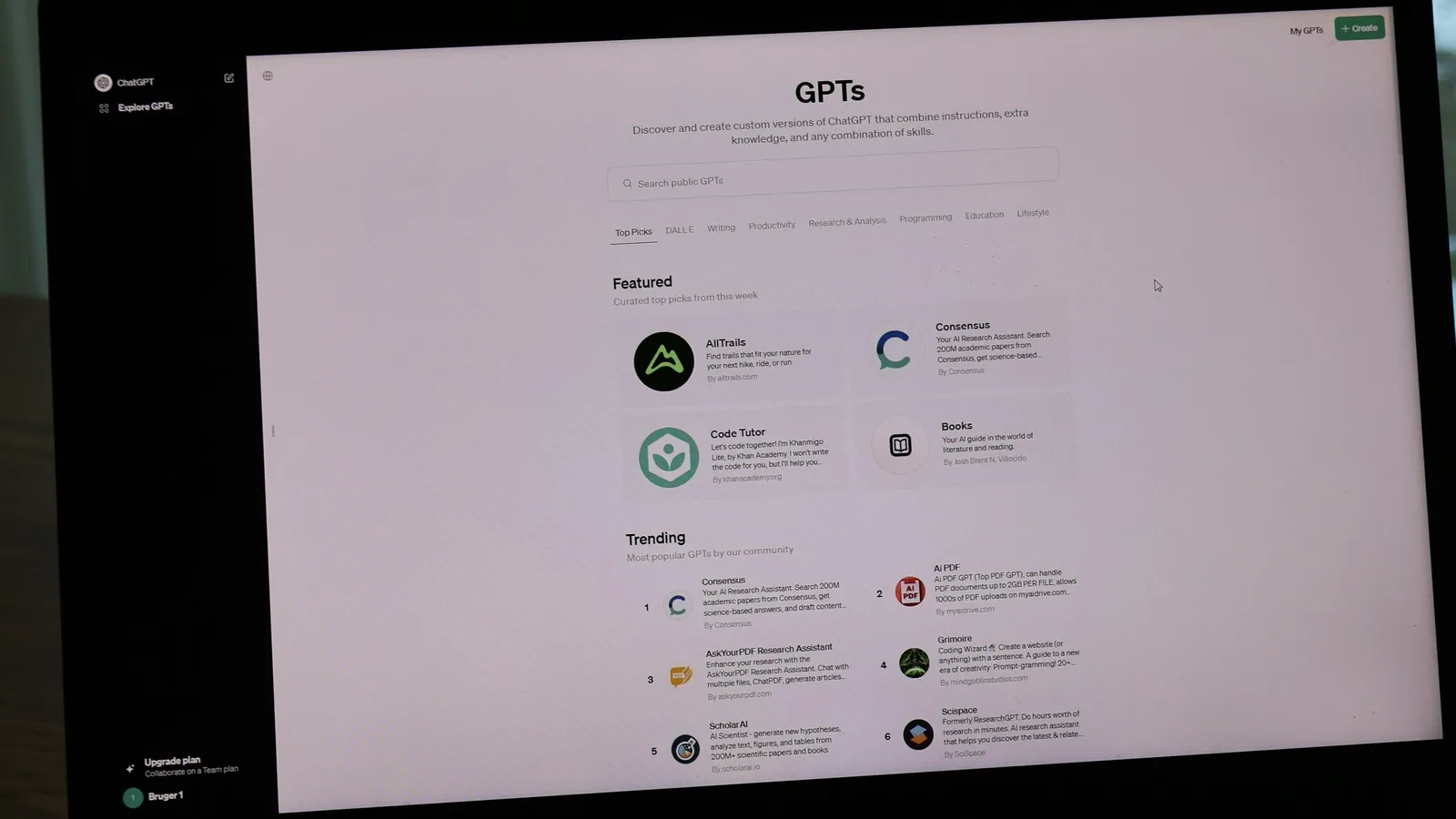
ChatGPT supports MCP through Developer Mode, which OpenAI labelled beta. Per OpenAI staff, it provides full MCP client support for tools, both read and write.
How to connect. You add a remote server (Streamable HTTP or SSE) with optional OAuth sign-in. Menu labels have reportedly changed more than once (Connectors, Apps, Plugins), and sources disagree, so check the live interface rather than copying a step list from an older guide.
What it can do.
- Call read and write tools in Developer Mode.
- On workspace plans, admins can turn Developer Mode off or allow only specific connectors.
- Through the Apps SDK (built on MCP), developers can publish integrations that users install from an app catalog.
What it cannot do, or does with friction.
- Custom connectors are not available on the free plan. Sources disagree on which paid plans include Developer Mode (Plus, Pro, Business, Enterprise, Edu in one source; Pro, Team, Enterprise, Edu in an older one). Confirm in OpenAI's help center.
- Deep Research and company knowledge use only the search and fetch tools of a custom connector, even when the server offers more.
- One source reports the connector must be enabled in each chat. Verify this against current OpenAI documentation, because it may have changed.
- Custom connectors expect a remote endpoint, so local-only servers need a tunnel or hosting.
- Some community users report odd behavior from the client with certain servers. This is anecdotal, but test before you rely on it.
See "Connect ChatGPT to Shopify: What Works Today" for the store-specific picture.
Claude vs ChatGPT MCP connectors: side-by-side
| Area | Claude | ChatGPT |
|---|---|---|
| Custom remote MCP connectors | Listed for Free, Pro, Max, Team, Enterprise | Paid plans only; exact plans vary by source |
| Setup path | Customize, then Connectors, add URL | Developer Mode (beta); menu names have changed |
| Read and write tools | Yes, depends on server and permissions | Yes, in Developer Mode |
| Deep Research with custom MCP | Not a documented restriction in the notes I reviewed | Search and fetch tools only |
| Local servers | Not directly; connection comes from Anthropic's cloud | Remote endpoint expected |
| Coding tools | Claude Code shares claude.ai connectors | Developer-focused setup is web-first |
| Admin control | Org must allow custom connectors on Team and Enterprise | Admins can disable Developer Mode or allowlist connectors |
| Interactive apps | MCP Apps on web and desktop | Apps SDK and app catalog; MCP Apps rollout should be checked |
| Per-tool restriction in API | Allowlist and denylist | Check OpenAI docs |
Claude vs ChatGPT for Shopify
Both can read Shopify data if they can reach a working Shopify MCP server. Shopify offers Dev MCP for developers and Storefront MCP endpoints for stores, and these do different jobs: see "Shopify MCP Server: What Dev MCP and Storefront MCP Do". Neither assistant changes what the server exposes.
Practical differences:
- Admin analysis (orders, products, reports). Choose based on which assistant lets you connect the server you need on your plan, and test with read-only access first.
- Theme or code work. Claude Code and similar coding tools are a stronger fit than a chat window. See "Claude Shopify Store: Can It Edit Themes or Build One?"
- Shopper-facing checkout. This is a separate topic from connecting an assistant to your admin data. OpenAI launched Instant Checkout in September 2025 using the Agentic Commerce Protocol (ACP, built with Stripe). Reports indicate it was later retired, so check OpenAI's current status before planning around it. See "Agentic Commerce Protocol Compared: ACP, UCP, AP2 and MCP".
Which is the best AI assistant for an online store?
Use these situations as a guide rather than a verdict.
- Solo merchant on a free or low-cost plan: Claude, because custom connectors are not paywalled.
- Team already paying for ChatGPT: try ChatGPT with Developer Mode, but confirm your plan and admin settings first.
- Agency auditing many accounts: the better choice is whichever gives you admin control, per-tool restrictions and reliable sign-in. See "MCP for Agencies: Audit 20 Client Accounts in an Afternoon".
- Developer or technical marketer: Claude Code or Cursor-style tools pair well with MCP servers. The assistant matters less than the server quality.
- Mostly search and document lookups: ChatGPT's search and fetch pattern may already cover this.
Many teams run both. Since MCP is an open standard, you are not locked in, but permissions and logs must be managed in each tool separately.
How do I keep either assistant safe with store data?
The assistant is only part of the risk. The server's permissions and your account roles matter more.
- Start with read-only access and add write access only for a specific task.
- Use a dedicated, limited account or API token, not an owner login.
- Block or require approval for refunds, price changes, discount creation and ad budget edits.
- Treat any text the assistant reads (reviews, support tickets, product descriptions) as potentially hostile, since it can contain instructions meant to steer the model. See "MCP Prompt Injection in E-commerce and How to Reduce It".
- Evaluate each server before connecting. See "How to Evaluate an MCP Server Before Connecting It" and "MCP Permissions: Read-Only vs Read-Write for Ads and Stores".
What can go wrong when comparing the two?
- Testing different servers. If one assistant connects to a different server version, the comparison is meaningless. Use the same server and the same prompts.
- Outdated setup guides. Menu names and plan limits shift. A guide from a few months ago may not match the interface.
- Admin blocks. On team plans, a connector may fail simply because an admin has not allowed it.
- Unreachable stores. Both assistants connect to remote endpoints. Private or staging stores need a reachable URL.
- Trusting answers without checking data. Poor tracking or incomplete data leads to confident but wrong answers in either tool.
A fair test: pick three tasks (for example, a weekly sales summary, a low-stock list and a product-data check), run them read-only in both assistants, and compare accuracy, setup time and how clearly each shows which tool it called.
Frequently asked questions
+Is Claude or ChatGPT better for ecommerce?
Neither wins in every case. Claude is easier to start with because custom MCP connectors are listed for all plans, including free. ChatGPT works well if your team already pays for it and has Developer Mode available. Both depend on the quality and permissions of the MCP server, so test the same server and prompts in each.
+Can ChatGPT use the same MCP servers as Claude?
In theory yes, because MCP is an open, vendor-neutral standard. In practice each assistant is a different client with different transport, sign-in and tool-handling behavior. A server may work well in one and show quirks in the other, so test before relying on it.
+Do I need a paid plan to use MCP with ChatGPT?
Custom MCP connectors are reported not to be available on the free ChatGPT plan. Sources disagree on exactly which paid plans include Developer Mode, so check OpenAI's help center for your plan. On workspace plans, an admin may also need to enable it.
+Is Claude or ChatGPT better for Shopify?
Both can read Shopify data through a Shopify MCP server, and the server decides what is exposed, not the assistant. Claude has a simpler connector setup and Claude Code for theme or code work. ChatGPT suits teams already using it. Start read-only in either.
+Can either assistant make changes to my store?
Yes, if the connected server exposes write tools and your account permissions allow it. ChatGPT Developer Mode supports read and write tools, and Claude can use write tools too. Start read-only, limit tokens to what the task needs, and require approval for refunds, prices and ad budgets.
+Which AI assistant is best for an online store with a small team?
Pick the one your team will actually use with the least setup friction and the clearest admin controls. For a small team on a tight budget, Claude's connector availability is an advantage. If you already pay for ChatGPT, try it first. Many teams use both.
Sources
Questions and answers
Questions readers and searchers ask about this guide, answered by the site editor from the vendor documentation, plus reader experience. Every comment is reviewed before it appears.
Keep reading

Other platforms · 7 min read
Mailchimp MCP Server: Does It Exist? Use with Claude, ChatGPT. Does Mailchimp have an MCP server? Mailchimp offers official connectors for Claude and ChatGPT, but full...

Other platforms · 7 min read
Does PayPal Have an MCP Server? Use with Claude or ChatGPT. Does PayPal have an MCP server? Yes, a local and a hosted version exist. See what it can do, how to use it...

Other platforms · 7 min read