

Advertising · 7 min read
Analytics
Open-source MIT-licensed local MCP server from Microsoft built on the Clarity Data Export API, so AI clients can query dashboard metrics, list session recordings and search Clarity documentation with a Data Export token.
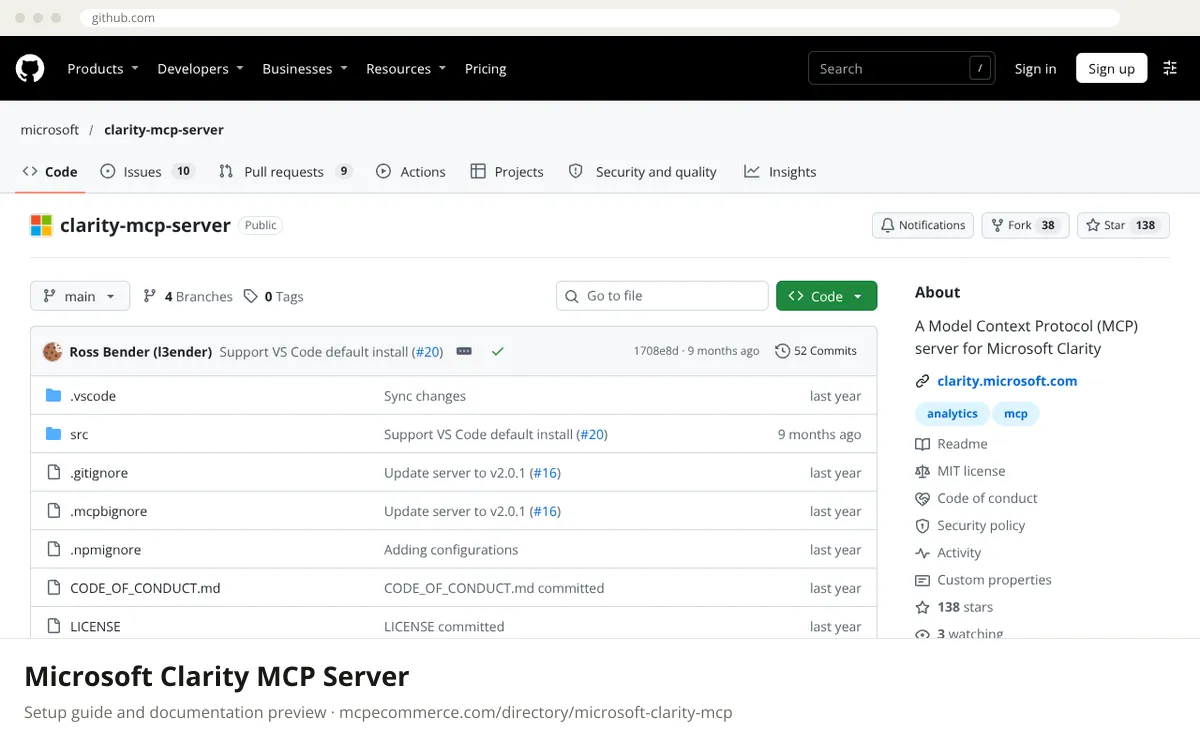
The Microsoft Clarity MCP Server is an open-source, MIT-licensed server from Microsoft that connects an AI client, such as Claude for Desktop or Visual Studio Code, to your Microsoft Clarity project. It uses the Clarity Data Export API, so you can ask plain-English questions about traffic, browsers, devices and countries, list session recordings that match filters, and look up answers from Clarity documentation. It runs on your own computer, not on a hosted service.
It suits merchants who already use Clarity heatmaps and recordings and want quick behavioural summaries without clicking through dashboards. It also suits agencies that check several stores. Results depend on the quality of the data in your Clarity project and on how focused each question is. The documentation recommends keeping each request to one thing. You need Node.js and a Data Export API token, and the setup is done in a config file, so a technical colleague may need to help the first time.
Merchants using Clarity heatmaps and recordings who want quick behavioural summaries.
Node.js v16 or higher, a Microsoft Clarity account, and an MCP-compatible client such as Claude for Desktop.npm install -g @microsoft/clarity-mcp-server, then run clarity-mcp-server). You can also run it with npx @microsoft/clarity-mcp-server, or install manually by cloning the repository, running npm install, npm run build and npm run start.claude_desktop_config.json (on macOS under ~/Library/Application Support/Claude/, on Windows under %AppData%\Claude\). Add an entry under mcpServers that uses the command npx with the arguments @microsoft/clarity-mcp-server and --clarity_api_token=your-api-token-here.Exact commands and addresses change. Use the official documentation for the current steps.
Installation guide for Microsoft Clarity MCP Server
Client-by-client steps, what to prepare, the first prompts to run and fixes for common errors.
 Claude
 ChatGPT
 Gemini
 Microsoft Copilot
 Perplexity
 CursorClaude Code
Watch out for: Documentation is slightly inconsistent about tool names and no rate limits are documented beyond the Data Export API's own.
The server is open source under the MIT license. The documentation does not state any pricing for the Data Export API or Clarity itself, so check the vendor documentation and your Clarity account. You still need a Clarity account and a generated Data Export API token to use it.
As described in the documentation, open your Clarity project, go to Settings, then Data Export, then choose Generate new API token. Give it a descriptive name and save it securely. You then pass it to the server with the `--clarity_api_token` argument in your client configuration.
No. The listing describes it as read-only. The documented tools are query-analytics-dashboard, list-session-recordings and query-documentation-resources, which retrieve data and documentation. Tool names may differ slightly in some documentation, so check what your client actually shows after connecting.
Questions readers and searchers ask about Microsoft Clarity MCP Server, answered by the site editor from the vendor documentation, plus reader experience. Every comment is reviewed before it appears.
Advertising · 7 min read

Analytics and tracking · 6 min read
Analytics and tracking · 7 min read
 Read-only
Google · Analytics
An open-source server that lets an assistant read GA4 properties: reports, realtime data and property settings.
View details →
 Read and write
Mixpanel · Analytics
Mixpanel's hosted MCP server (US, EU and IN endpoints) lets an AI client run insights, funnel, flow and retention queries, build dashboards, manage cohorts and Lexicon metadata and analyse session replays, after an org admin enables MCP.
View details →
Amplitude · Analytics
Amplitude's remote MCP server (EU variant available) uses OAuth and the user's existing permissions to search charts and dashboards, run segmentation, funnel and retention queries and create or edit charts, cohorts, experiments and feature flags.
View details →