

Analytics and tracking · 6 min read
Analytics
Amplitude's remote MCP server (EU variant available) uses OAuth and the user's existing permissions to search charts and dashboards, run segmentation, funnel and retention queries and create or edit charts, cohorts, experiments and feature flags.
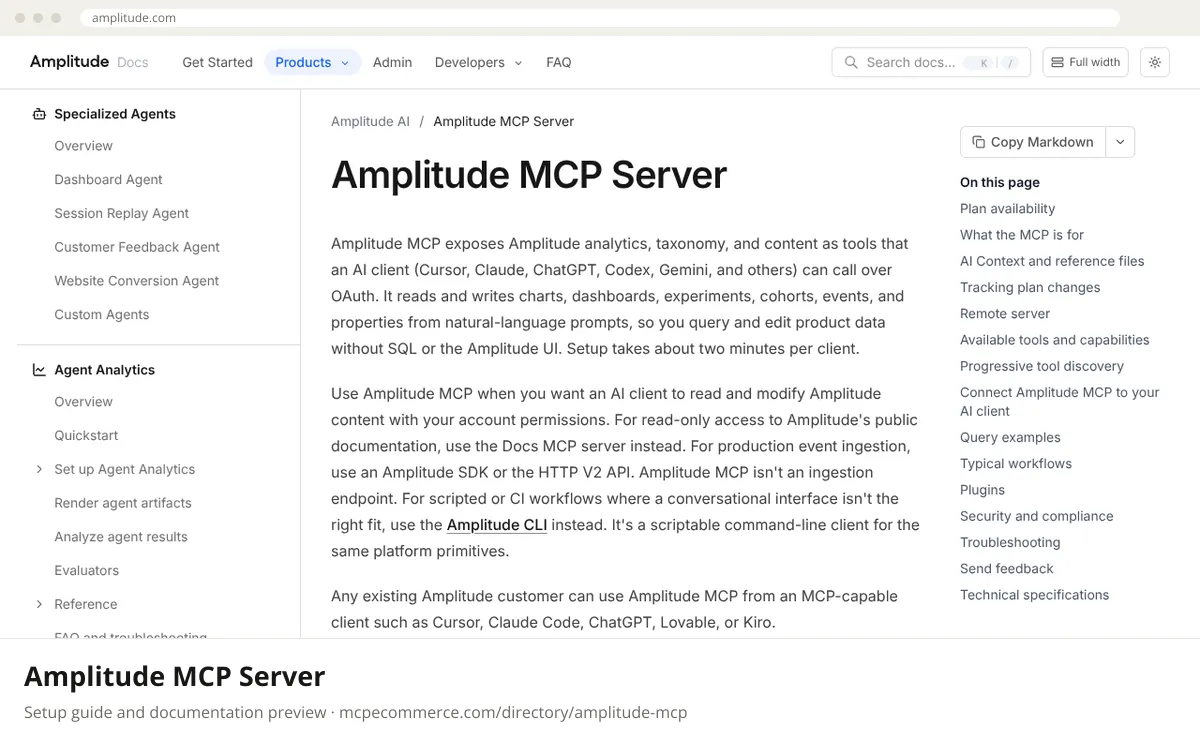
The Amplitude MCP Server is Amplitude's official remote server. It lets an AI client such as Claude, ChatGPT, Cursor or Codex search charts, dashboards, cohorts and experiments, run segmentation, funnel and retention queries, and create or edit charts, dashboards, cohorts, experiments and feature flags from plain-language prompts. It can also manage tracking plan events and properties. It signs in with OAuth and acts as the signed-in user, so it can only see and change what that person can already reach in Amplitude. A separate EU server URL exists for data that resides in the EU.
It suits teams already on Amplitude who want quick product analytics answers without opening the UI or writing SQL. It is not an event ingestion endpoint, so it does not replace an SDK or the HTTP V2 API. How well it works depends on three things: using the server URL that matches your data region, naming the right project in prompts, and keeping metric definitions in Amplitude's AI Context text so answers follow your business rules. Because write tools exist, the permissions of the person who signs in matter a great deal.
Teams on Amplitude who want ad hoc product analytics answers in Claude or ChatGPT.
https://mcp.amplitude.com/mcp for the United States, or https://mcp.eu.amplitude.com/mcp if your Amplitude data resides in the EU.Amplitude entry under mcpServers with the url key in .cursor/mcp.json (project) or ~/.cursor/mcp.json (all projects), or use the one-click install link. For other clients, follow the vendor documentation for that client. You can also start the connection from Amplitude at Settings > Connections > MCP./mcp or claude mcp list. codex mcp list only confirms the configuration and does not call the server.get_amplitude_context at the start of a session so your metric definitions apply.?discovery=progressive to the server URL as described in the documentation.Exact commands and addresses change. Use the official documentation for the current steps.
Installation guide for Amplitude MCP Server
Client-by-client steps, what to prepare, the first prompts to run and fixes for common errors.
 Claude
 ChatGPT
 Gemini
 Microsoft Copilot
 Perplexity
 CursorClaude Code
Watch out for: MCP is on by default for all users unless an admin restricts it, and deletes need two-step confirmation.
Use the US URL, `https://mcp.amplitude.com/mcp`, unless your Amplitude data resides in the EU, in which case use `https://mcp.eu.amplitude.com/mcp`. A mismatch makes sign-in fail or the client finds none of your projects. To switch regions, replace the URL in your configuration and sign in again.
No for interactive use. Clients connect over streamable HTTP and sign in with OAuth, so you do not manage API keys. The server acts as the signed-in user. For non-interactive agents the documentation points to service accounts, and MCP service account authentication is listed as an Enterprise plan feature.
Step-by-step: install Amplitude MCP Server in Claude, ChatGPT, Gemini, Copilot and more →
Deletes require two steps: the first call lists the affected items, project and branch, and the client asks you to confirm before proceeding. Ingested items can be restored, but planned, custom and labeled events cannot. Deletes on main apply immediately, so test on a branch and limit write permissions.
Questions readers and searchers ask about Amplitude MCP Server, answered by the site editor from the vendor documentation, plus reader experience. Every comment is reviewed before it appears.
Analytics and tracking · 6 min read
Analytics and tracking · 7 min read

Analytics and tracking · 12 min read
 Read-only
Google · Analytics
An open-source server that lets an assistant read GA4 properties: reports, realtime data and property settings.
View details →
 Read and write
Mixpanel · Analytics
Mixpanel's hosted MCP server (US, EU and IN endpoints) lets an AI client run insights, funnel, flow and retention queries, build dashboards, manage cohorts and Lexicon metadata and analyse session replays, after an org admin enables MCP.
View details →
 Read and write
PostHog · Analytics
PostHog's free hosted MCP endpoint (auto-routed to US or EU) lets agents run analytics and HogQL queries, inspect errors and session data, and manage feature flags, experiments and CDP destinations.
View details →