

Other platforms · 7 min read
Email and CRM
Omnisend's hosted MCP server exposes the whole Omnisend API through four meta tools (search, tool_schema, tool_documentation, execute) with OAuth and a selectable read-only or write access level.
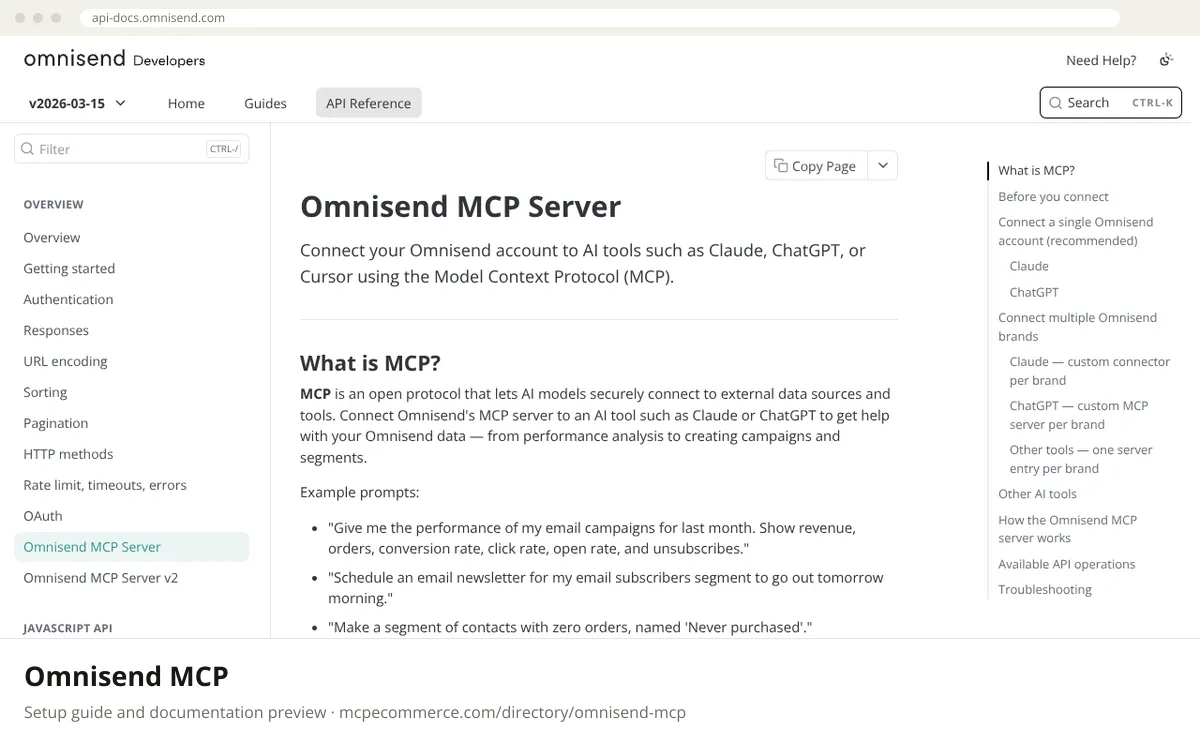
Omnisend MCP is the vendor's own hosted MCP server. It lets an AI tool such as Claude, ChatGPT or Cursor work with your Omnisend account through OAuth. Instead of one tool per API operation, it gives the AI four generic tools: search, tool_schema, tool_documentation and execute. The AI uses them to find an operation, read its schema and notes, then run it. Through these four tools it can reach campaigns, automations, contacts, segments, forms, email templates, products, images and analytics reports.
It suits ecommerce email and SMS teams already on Omnisend who want reporting and campaign drafting in a chat window. It also suits agencies that manage several brands. How well it works depends mostly on the access level you pick on the consent screen and on how carefully you separate brands. Read-only access is enough for performance analysis. Write access can send campaigns and delete things, so it needs a person watching. You need the Owner, Admin, Manager or Partner role in Omnisend to connect.
Ecommerce email and SMS teams on Omnisend that want reporting and campaign drafting from Claude or ChatGPT.
https://mcp.omnisend.com/mcp, OAuth authentication with dynamic client registration, and Streamable HTTP transport. Follow your tool's own MCP documentation for where to enter them.Exact commands and addresses change. Use the official documentation for the current steps.
Installation guide for Omnisend MCP
Client-by-client steps, what to prepare, the first prompts to run and fixes for common errors.
 Claude
 ChatGPT
 Gemini
 Microsoft Copilot
 Perplexity
 CursorClaude Code
Watch out for: Write access lets the agent send campaigns and delete segments, and the vendor recommends one read-only connector per brand because multi-account use is not supported.
The documentation does not list a separate price for the MCP server, so check your Omnisend plan with the vendor. To connect, you need the Owner, Admin, Manager or Partner role in Omnisend and an MCP-compatible AI tool such as Claude, ChatGPT or Cursor.
Step-by-step: install Omnisend MCP in Claude, ChatGPT, Gemini, Copilot and more →
Not on a single connection. The vendor's workaround is a separate connector for each brand, named after the brand, with a distinct URL, and each authorized against its own account. Enable only one connector per chat and start a new chat when you switch brands. Read-only access is recommended for each.
Step-by-step: install Omnisend MCP in Claude, ChatGPT, Gemini, Copilot and more →
Only if you grant write access. The operations list includes sending and cancelling campaigns, deleting campaigns and automations, and enabling automations. With the read-only level, the AI can report on data and view items but cannot make changes. You pick the level on the Omnisend consent screen.
Questions readers and searchers ask about Omnisend MCP, answered by the site editor from the vendor documentation, plus reader experience. Every comment is reviewed before it appears.
People search for: “omnisend mcp pricing”
I can't find a price for the Omnisend MCP server in the vendor documentation, so I wouldn't assume it's free or paid. Our directory lists its pricing as "Varies by tool", and the docs never mention an MCP fee, an add-on or a plan requirement. Check Omnisend's pricing page or ask their support before you commit.
What the docs do say is that the server is hosted by Omnisend, and you connect it to an MCP-compatible AI tool such as Claude, ChatGPT or Cursor. You need the Owner, Admin, Manager or Partner role in Omnisend to authorize it. The docs don't cover what the AI tool side costs, so look at your Claude or ChatGPT plan for that.
Setup steps are in the install guide: https://mcpecommerce.com/directory/omnisend-mcp/install
Other platforms · 7 min read

Getting started · 7 min read

Analytics and tracking · 6 min read
 Varies by tool
Klaviyo · Email and CRM
Klaviyo's MCP server connects an assistant to email and SMS marketing data: campaigns, flows, profiles and reporting.
View details →
 Varies by tool
HubSpot · Email and CRM
HubSpot's MCP server gives an assistant access to CRM records, useful for B2B e-commerce and agency pipelines.
View details →
Attentive · Email and CRM
Attentive's MCP server exposes 74 tools (34 read-only, 40 write-enabled) for SMS and email campaigns, journeys, segments, templates and reporting, scoped to what the user can already do in the Attentive UI. The docs describe it as a beta whose tool names may change.
View details →