

Advertising · 7 min read
Advertising
Self-hosted MIT-licensed MCP server wrapping Google's Merchant API with tools for products, inventory, promotions, returns, reports and account settings. Google does not publish a Merchant Center MCP server.
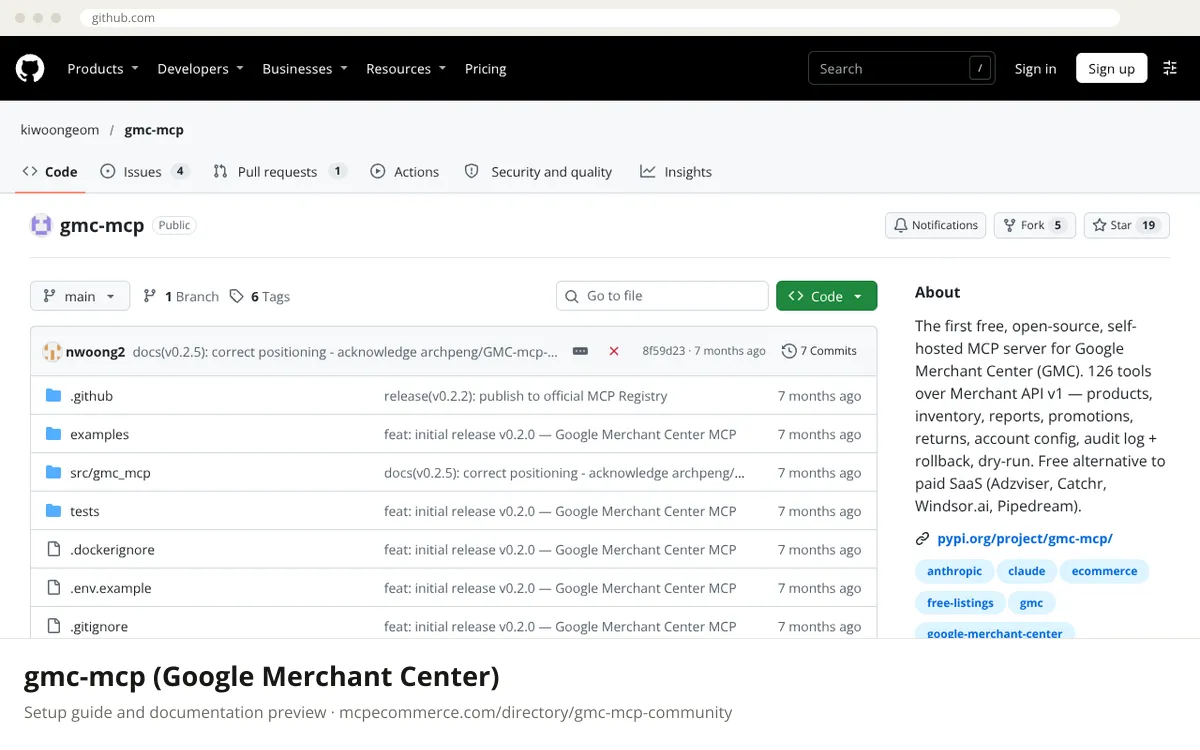
gmc-mcp is a community-built, MIT-licensed MCP server that lets an AI assistant such as Claude work with Google Merchant Center through Google's Merchant API v1. The documentation lists 126 tools across areas such as products, inventory, reports, promotions, return policies, feeds and account settings. Google does not publish its own Merchant Center MCP server, so this is an independent project, not a Google product. You run it yourself, so your credentials stay on your machine instead of passing through a paid hosted connector.
It suits merchants and agencies who spend time on feed disapprovals, bulk product edits and Shopping performance questions. Whether it works well depends on three things: a correctly set up Google Cloud project and service account, the access level you give that account in Merchant Center, and how carefully you use the write tools. The project is small, so read the code and test on a non-critical account before pointing it at a live feed. Start with read-only questions, then turn on writes with dry-run enabled.
Merchants or agencies who want to fix feed disapprovals and bulk-edit product data without a paid SaaS connector.
pip install gmc-mcp. This needs Python on the machine that will run the server, so a technical colleague may need to help.JSON key, as described in the documentation. Then in Merchant Center, add that service account email under Account access and People. The documentation says to grant Admin. Note your 10-digit Merchant Center ID..env.example to .env and set GMC_ACCOUNT_ID and GMC_SERVICE_ACCOUNT_KEY (the path to the JSON key). Consider also setting GMC_DRY_RUN to true so writes are only recorded in the audit log.gmc-mcp register-gcp --developer-email you@example.com with your own email address. The documentation says this is required before Merchant API v1 calls work for a new project.gmc-mcp describe, which prints the resolved config. Then add a gmc entry to your Claude configuration file with command set to gmc-mcp, args set to run, and the two environment values, as shown in the documentation. Restart Claude.gmc_describe_server. Start with read-only requests such as listing disapproved products before trying any edits.Exact commands and addresses change. Use the official documentation for the current steps.
Installation guide for gmc-mcp (Google Merchant Center)
Client-by-client steps, what to prepare, the first prompts to run and fixes for common errors.
 Claude
 ChatGPT
 Gemini
 Microsoft Copilot
 Perplexity
 CursorClaude Code
Watch out for: Needs a service account with Admin access in Merchant Center and the project is small, so review the code before trusting it with a live feed.
According to the listing, Google does not publish a Merchant Center MCP server. gmc-mcp is a community project built on Google's Merchant API v1. It is MIT-licensed and self-hosted. Because it is not vendor supported, check the repository's issues and code before using it on a live account.
It can list disapproved products, summarize issues by code, and update product data or supplemental feeds so you can correct the underlying attributes. It does not fix problems on its own. The documentation lists automatic fixers only as a future roadmap item. You decide what to change, ideally in dry-run first.
The documentation says the server runs on your machine and credentials never leave it. It talks directly to Google's Merchant API. The data still goes to whichever AI client you connect, such as Claude, so check that client's data policy as well.
Questions readers and searchers ask about gmc-mcp (Google Merchant Center), answered by the site editor from the vendor documentation, plus reader experience. Every comment is reviewed before it appears.
Advertising · 7 min read

Advertising · 7 min read

Advertising · 7 min read
 Read-only
Google · Advertising
An open-source server from Google that lets an assistant query Google Ads accounts for reporting and analysis.
View details →
 Read and write
Meta · Advertising
Meta's official connectors let an AI assistant such as Claude or ChatGPT query and manage a Meta ad account through a hosted MCP server, with a CLI alongside it. Announced in April 2026 and in open beta.
View details →
 betaRead and write
Amazon Ads · Advertising
Amazon's MCP server, in open beta since February 2026, lets AI agents call Amazon Ads API functions for campaign management, reporting, account settings and billing, plus prebuilt multi-step workflow tools. Access requires active Amazon Ads API credentials.
View details →