

Other platforms · 7 min read

Payments
Intuit's open-source local MCP server exposes tools covering CRUD for 29 QuickBooks Online entity types and 11 financial reports, authenticated with OAuth 2.0 app credentials and a refresh token.
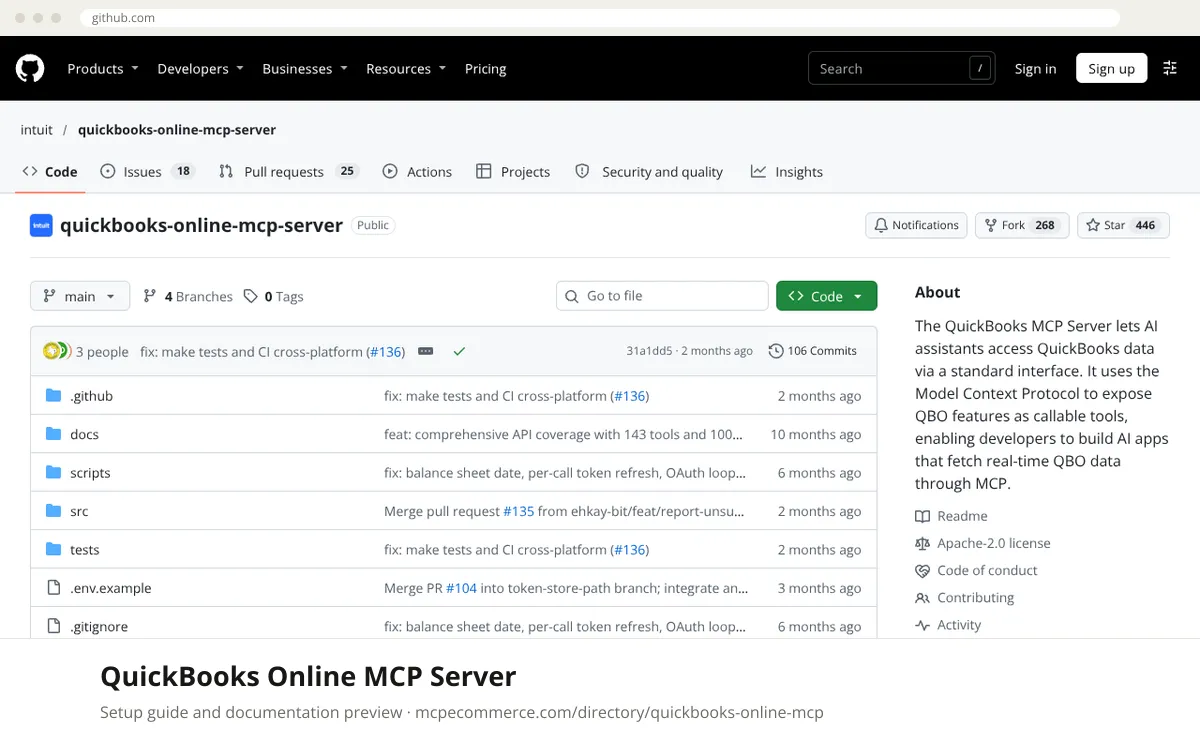
The QuickBooks Online MCP Server is Intuit's open-source server that lets an AI assistant work with a QuickBooks Online company file. It runs on your own computer as a local process. According to the documentation it offers create, get, update, delete and search tools for 29 entity types (customers, invoices, bills, vendors, accounts, journal entries and more) plus 11 financial reports, including Profit and Loss, Balance Sheet, Cash Flow, Aged Receivables and Aged Payables. For a merchant or bookkeeper, that means you can ask questions about your books in plain language instead of clicking through report screens.
It suits US merchants, accountants and agencies who already keep books in QuickBooks Online and are comfortable with some technical setup. Intuit does not offer per-user API keys, so you must register an app on the Intuit Developer Portal and complete a one-time browser-based OAuth sign-in. Sandbox is easy because it accepts a localhost redirect address. Production needs a public HTTPS callback for the first authorization, which is the step that decides whether setup goes smoothly. The listing is marked preview, and writes are on by default, so restrict it to read-only before connecting real company data.
US merchants and accountants who keep books in QuickBooks Online.
http://localhost:8000/callback for sandbox, and copy the Client ID and Client Secret from Keys & Credentials (Development keys). Use a sandbox company first.npm install and npm run build in the project folder. You need Node.js installed..env.example to .env and fill in QUICKBOOKS_CLIENT_ID, QUICKBOOKS_CLIENT_SECRET, QUICKBOOKS_ENVIRONMENT=sandbox, plus the refresh token and realm ID. Running npm run auth opens your browser so you can sign in to the sandbox company, and saves the tokens to .env.QUICKBOOKS_DISABLE_WRITE, QUICKBOOKS_DISABLE_UPDATE and QUICKBOOKS_DISABLE_DELETE to true so only read tools (get_*, search_*) are registered.command to node, point args at dist/index.js inside the project folder, and pass the QUICKBOOKS_* values in the env block.HTTPS redirect URI for the first handshake (for example an ngrok tunnel), set QUICKBOOKS_ENVIRONMENT=production, then follow the vendor documentation for the rest. Only do this after testing in sandbox.Exact commands and addresses change. Use the official documentation for the current steps.
Installation guide for QuickBooks Online MCP Server
Client-by-client steps, what to prepare, the first prompts to run and fixes for common errors.
 Claude
 ChatGPT
 Gemini
 Microsoft Copilot
 Perplexity
 CursorClaude Code
Watch out for: Writes are enabled by default and production needs a public HTTPS OAuth callback, so treat it as early.
Yes. The documentation describes three environment flags: `QUICKBOOKS_DISABLE_WRITE`, `QUICKBOOKS_DISABLE_UPDATE` and `QUICKBOOKS_DISABLE_DELETE`. Setting each to `true` stops the create, update and delete tools from being registered. Read tools (`get_*` and `search_*`) are always available. Because everything is enabled by default, set these flags before first use.
The documentation says the Intuit Developer Portal rejects localhost redirect URIs for production apps. The first authorization needs a public HTTPS callback, and it suggests a tunnel such as ngrok or a small public callback handler. After the refresh token is saved, daily use no longer needs the public URL.
Step-by-step: install QuickBooks Online MCP Server in Claude, ChatGPT, Gemini, Copilot and more →
Yes. The documentation states that Intuit offers no per-user API keys, so even reading your own company's data requires registering an app on the Intuit Developer Portal and completing the OAuth handshake. Start with a sandbox company, then move to production once you are confident in the setup.
Step-by-step: install QuickBooks Online MCP Server in Claude, ChatGPT, Gemini, Copilot and more →
Questions readers and searchers ask about QuickBooks Online MCP Server, answered by the site editor from the vendor documentation, plus reader experience. Every comment is reviewed before it appears.
Other platforms · 7 min read

Other platforms · 7 min read

Security and governance · 7 min read
 Varies by tool
Stripe · Payments
Stripe's remote MCP server lets an assistant work with Stripe objects such as customers, products, invoices and payment links.
View details →
 Read and write
PayPal · Payments
PayPal offers both a local npm package and hosted remote servers (production and sandbox) that let merchants run invoicing, payments and other PayPal tasks from an AI client using natural language.
View details →
 betaRead and write
Square · Payments
Square's beta MCP server bridges AI assistants to the full Square API (customers, orders, catalog items, payments). Square recommends the hosted server with OAuth; a local server can target Sandbox.
View details →