

Advertising · 7 min read

Agency operations
Airtable's hosted MCP server is available on all plans with OAuth or personal access tokens, letting agents search bases, read and modify records, change schema (for owners and creators) and manage automations that are turned off.
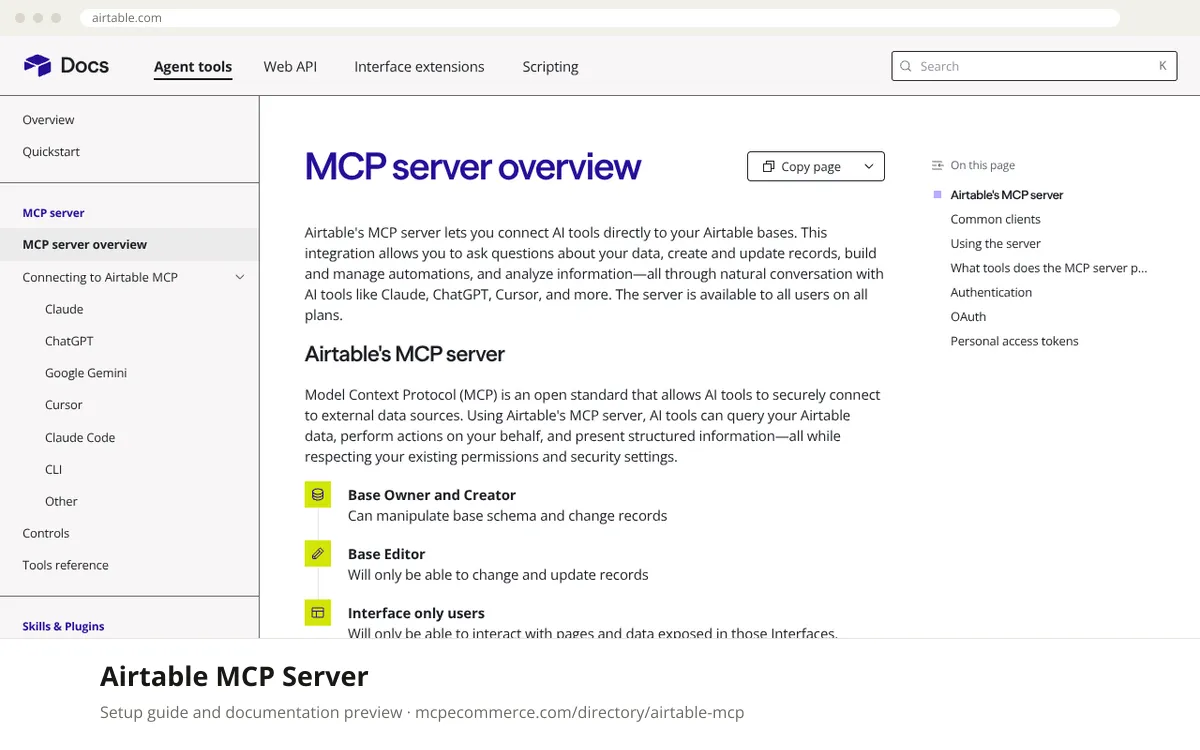
Airtable's MCP server is a hosted connection that lets AI tools such as Claude, ChatGPT, Gemini, Cursor and Claude Code work with your Airtable bases in plain language. It can search and list bases, read, create and update records, add comments, fill in forms, and list or configure automations. Owners and creators can also change tables, fields and interfaces. The server is available on all Airtable plans and is listed as generally available and official.
It suits agencies and in-house teams that already run launch trackers, influencer lists or content pipelines in Airtable and want to ask questions or update rows without opening the base. How well it works depends on two things: how tightly you scope access during authorization or token creation, and how clearly your bases are named and described. Permissions follow Airtable roles, so an owner or creator connection can change structure, while an editor connection can only change records.
Teams tracking product launches, influencer lists or content pipelines in Airtable.
https://mcp.airtable.com/mcp and, if your organization registered its own OAuth app, the client ID.data.records:write, schema.bases:write and data.recordComments:write.Exact commands and addresses change. Use the official documentation for the current steps.
Installation guide for Airtable MCP Server
Client-by-client steps, what to prepare, the first prompts to run and fixes for common errors.
 Claude
 ChatGPT
 Gemini
 Microsoft Copilot
 Perplexity
 CursorClaude Code
Watch out for: Permissions follow Airtable roles, so a creator-level token lets the agent change schema; tokens should be scoped tightly.
According to the documentation, the server is available to all users on all plans. The page does not mention a separate fee for MCP access. Your AI client may have its own plan requirements, so check the documentation for that tool and Airtable's current pricing.
The documentation recommends OAuth for end-user connections through clients and personal access tokens for CLI, scripts and server-side setups. OAuth lets you pick bases and workspaces at authorization. Tokens give persistent, predictable boundaries across sessions, so limit their scopes.
Only if the connected account is a base owner or creator and the granted scopes allow it. Editors can change records but not schema. To prevent structural changes, connect an editor account or leave out the schema write scope on your token.
Step-by-step: install Airtable MCP Server in Claude, ChatGPT, Gemini, Copilot and more →
Questions readers and searchers ask about Airtable MCP Server, answered by the site editor from the vendor documentation, plus reader experience. Every comment is reviewed before it appears.
Advertising · 7 min read

Advertising · 7 min read
Other platforms · 7 min read
 Varies by tool
Slack · Agency operations
Slack's hosted MCP server uses confidential OAuth tied to a registered Slack app and user-token scopes, letting approved clients search messages and files, read channel and thread history, send messages, manage canvases and lists and upload files.
View details →
 Read and write
Notion · Agency operations
Notion's hosted MCP server connects via OAuth and lets clients read and update workspace content the user can access, including creating pages, updating pages, commenting and uploading files.
View details →
monday.com · Agency operations
monday.com's hosted Platform MCP exposes 60+ tools backed by its GraphQL API for querying boards, creating items and updating columns, using an API token, your own OAuth app or dynamic client registration.
View details →