

Security and governance · 7 min read

Agency operations
Notion's hosted MCP server connects via OAuth and lets clients read and update workspace content the user can access, including creating pages, updating pages, commenting and uploading files.
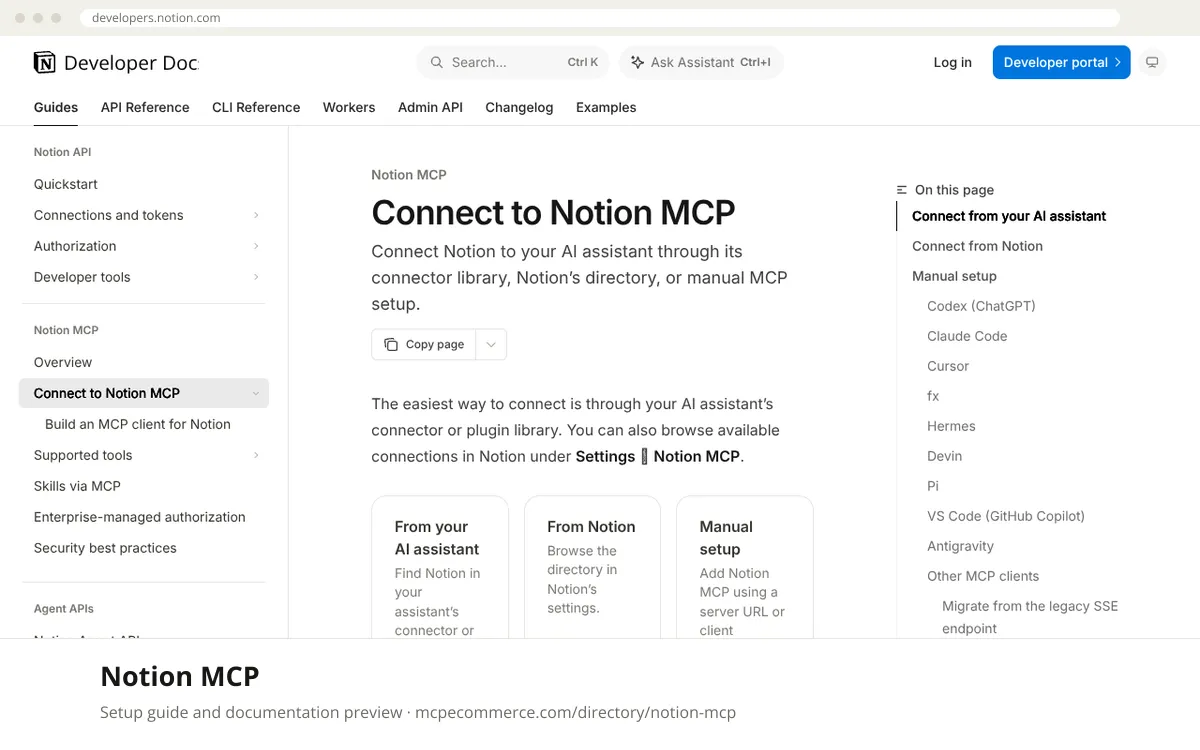
Notion MCP is the hosted MCP server run by Notion. It lets an AI assistant search and read pages and databases, create and update pages, add comments and upload files, all inside the Notion workspace the connecting user can already access. You sign in through OAuth, so there is no server to install or host. For an agency or brand that keeps briefs, SOPs, content calendars and client notes in Notion, it means an assistant can pull the right document into a task or draft a new page without anyone copying text between tools.
It suits teams that already have their working documents in Notion and want an assistant to use them. How well it works depends mostly on the workspace: clear page titles, tidy databases and sensible sharing make search and reading far more reliable. The assistant acts with the permissions of the person who signed in, so that person's access sets the limits. The documentation notes that non-interactive authorization for automation is not supported, so this is for supervised, person-driven use rather than unattended jobs.
Agencies and brands who keep briefs, SOPs and content calendars in Notion.
https://mcp.notion.com/mcp with the Streamable HTTP transport.claude mcp add --transport http notion https://mcp.notion.com/mcp, followed by running /mcp and completing the OAuth flow. Codex, Cursor, VS Code, Devin and others each have their own steps in the same documentation page.https://mcp.notion.com/sse endpoint, switch it to Streamable HTTP and the /mcp URL before Notion retires the SSE endpoint on February 23, 2027.Exact commands and addresses change. Use the official documentation for the current steps.
Installation guide for Notion MCP
Client-by-client steps, what to prepare, the first prompts to run and fixes for common errors.
 Claude
 ChatGPT
 Gemini
 Microsoft Copilot
 Perplexity
 CursorClaude Code
Watch out for: Non-interactive auth for automation is not supported and the open-source notion-mcp-server is no longer maintained.
The listing notes that non-interactive authentication for automation is not supported. Each connection needs a person to complete the OAuth sign-in. If you need unattended workflows, check the vendor documentation for the current position and for other options, such as the Notion API, before you plan around it.
No. The listing says the open-source notion-mcp-server is no longer maintained, and the documentation advises against the older Antigravity gallery connector that uses the deprecated package. Use the hosted Notion MCP server at the URL given in the documentation instead.
Yes. According to the listing, the server can add comments and upload files to pages, alongside searching, reading, creating and updating pages. The documentation has a supported tools page and an FAQ on file uploads, so check those for current limits such as file types and sizes.
Questions readers and searchers ask about Notion MCP, answered by the site editor from the vendor documentation, plus reader experience. Every comment is reviewed before it appears.
People search for: “notion mcp server url”
The hosted Notion MCP server URL is https://mcp.notion.com/mcp, and that is the Streamable HTTP endpoint Notion recommends. If your client only supports SSE, Notion lists https://mcp.notion.com/sse as a fallback, and says to use it only when Streamable HTTP isn't supported.
Most clients just need that URL in their config. For example, Cursor takes it in .cursor/mcp.json, and VS Code takes it in .vscode/mcp.json with type http. Claude Code uses `claude mcp add --transport http notion https://mcp.notion.com/mcp`, then you run /mcp to authenticate. In every case you finish with an OAuth flow, and the client can then read and update whatever you can access in the workspace you pick.
If your client can't use remote HTTP servers, Notion documents a STDIO option via mcp-remote. Notion's docs also say to avoid the older notion-mcp-server package. Full client list: https://mcpecommerce.com/directory/notion-mcp/install
 Varies by tool
Slack · Agency operations
Slack's hosted MCP server uses confidential OAuth tied to a registered Slack app and user-token scopes, letting approved clients search messages and files, read channel and thread history, send messages, manage canvases and lists and upload files.
View details →
 Read and write
Airtable · Agency operations
Airtable's hosted MCP server is available on all plans with OAuth or personal access tokens, letting agents search bases, read and modify records, change schema (for owners and creators) and manage automations that are turned off.
View details →
monday.com · Agency operations
monday.com's hosted Platform MCP exposes 60+ tools backed by its GraphQL API for querying boards, creating items and updating columns, using an API token, your own OAuth app or dynamic client registration.
View details →